All guides
No guide matches your search.
Languages and right-to-left layout
The Tintly windows come in 17 languages. This guide shows how to change the language and how the windows turn around for right-to-left text.
On this page
Change the language
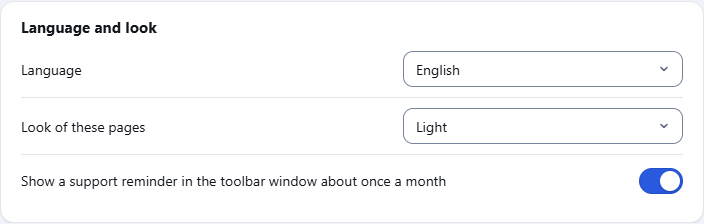
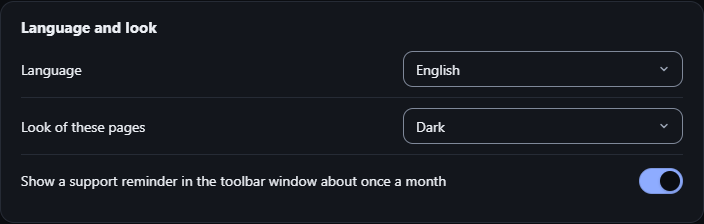
Settings, General: Language and look
- Open Settings and go to General.
- Find Language and look.
- Choose a Language: Browser language, or one of the languages in the list. Each language is shown by its own name.
| Language | In the list |
|---|---|
| Persian | فارسی |
| English | English |
| Arabic | العربية |
| Hebrew | עברית |
| Spanish | Español |
| Portuguese (Brazil) | Português (Brasil) |
| Russian | Русский |
| German | Deutsch |
| French | Français |
| Chinese (Simplified) | 简体中文 |
| Chinese (Traditional) | 繁體中文 |
| Korean | 한국어 |
| Japanese | 日本語 |
| Hindi | हिन्दी |
| Indonesian | Bahasa Indonesia |
| Italian | Italiano |
| Turkish | Türkçe |
By default Tintly follows the language of your browser. If Tintly does not have that language, it uses English. Chinese for Taiwan, Hong Kong and Macau gets Traditional Chinese, and other Chinese gets Simplified Chinese. The language is kept on this computer only. It is not part of an exported file and it is not synced.
The names of the shortcuts on the shortcuts page of the browser, and the name of Tintly in the browser menus, follow the language of the browser, whatever you choose here.
Right to left
Persian, Arabic and Hebrew are written from right to left. When you choose one of them, the toolbar window, the settings page and the fix editor turn around: the side list, the controls and the order of the buttons mirror. Persian and Arabic text uses the Vazirmatn font.
Look of the windows
Look of these pages in the same place sets how the Tintly windows look: Same as system, Light or Dark. It does not change the pages you visit.
Pages you visit
Tintly changes colors, not direction. A page keeps its own language and its own direction, whatever language Tintly uses.
Was this page helpful?