All guides
No guide matches your search.
Read like on paper with E-ink mode
Turn a page into calm paper and ink, with soft pictures and less glare. Choose E-ink for black and white screens or Paper for an ordinary screen.
On this page
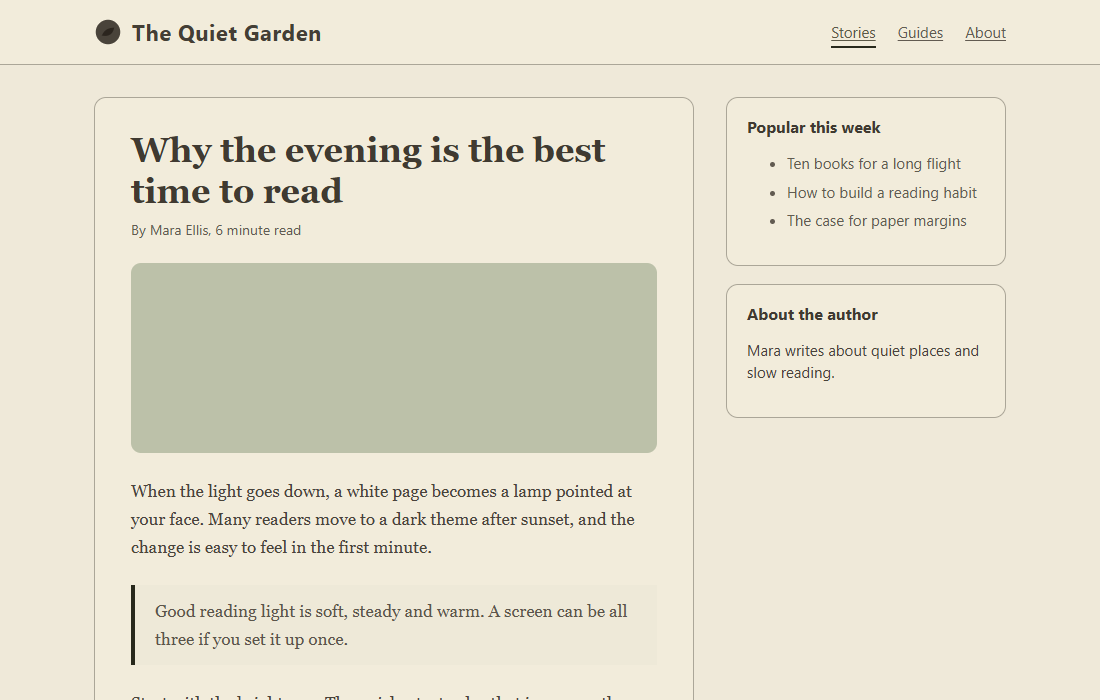
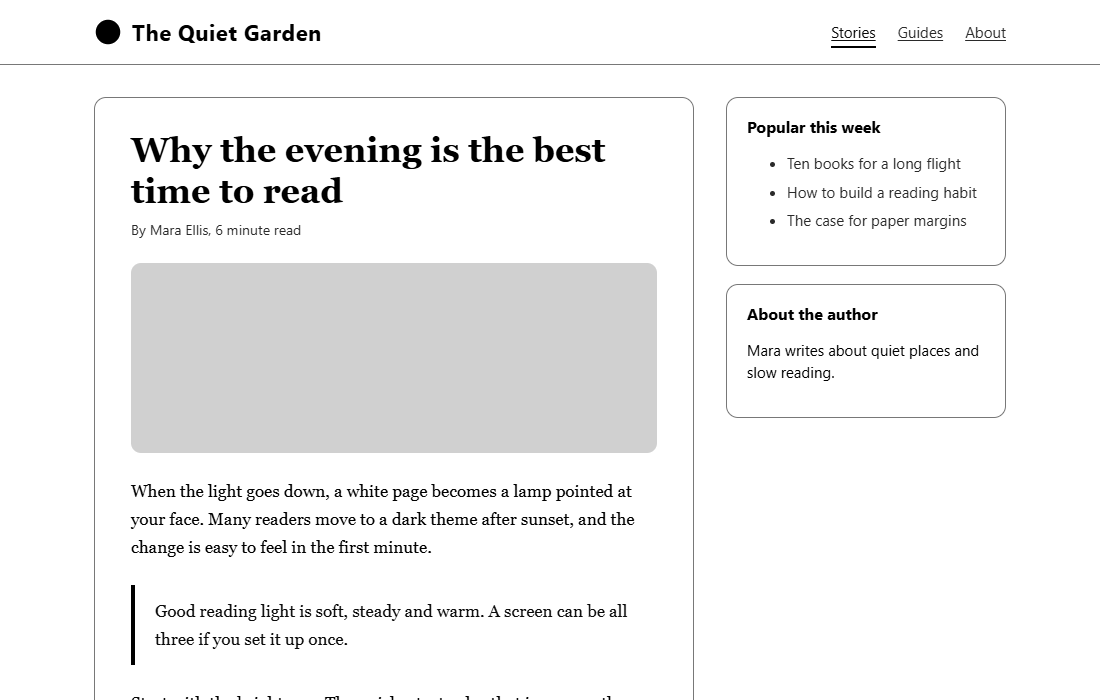
Some people find it tiring to read a book on a computer. White light, bright colors and busy pictures are the main reasons. E-ink mode makes a page quiet: a paper color, ink for the text, grayer pictures and no moving parts.
A web page cannot change the real backlight of your screen. Paper lowers the brightest white that the page can show and takes out some blue light instead.
Turn it on
Click the Tintly icon in the toolbar. In the row of mode buttons, choose Paper or E-ink. Each is one click.
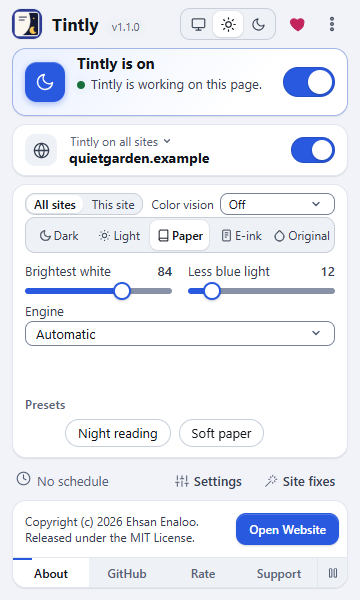
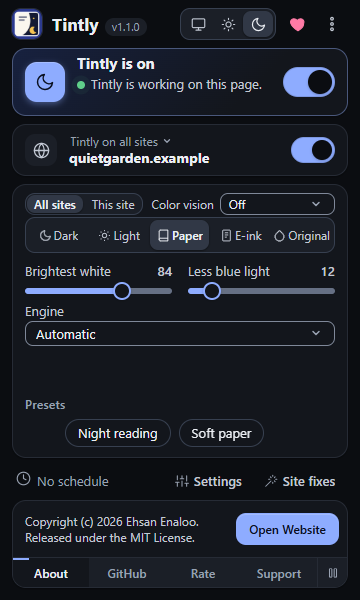
The toolbar window with the two Paper sliders
Two sliders replace the five. Brightest white and Less blue light change how bright and how warm the page is. Choosing the other one of the two styles starts again from its defaults.
| Style | Made for | What you get |
|---|---|---|
| E-ink | Black and white screens and high contrast reading | White paper, black ink, grays only, 8 gray levels, grayer pictures, no animation, transitions, smooth scrolling or shadows |
| Paper | Ordinary screens | A warm paper color, soft dark brown ink, a little color (35 percent), a little less white and blue light, pictures with the same little color and a bit darker |
Pages that are dark become light paper too. Tintly does not leave them as they are in this mode.
Change the details
Open Settings and go to Appearance. The section E-ink and Paper shows when the mode is Paper or E-ink.
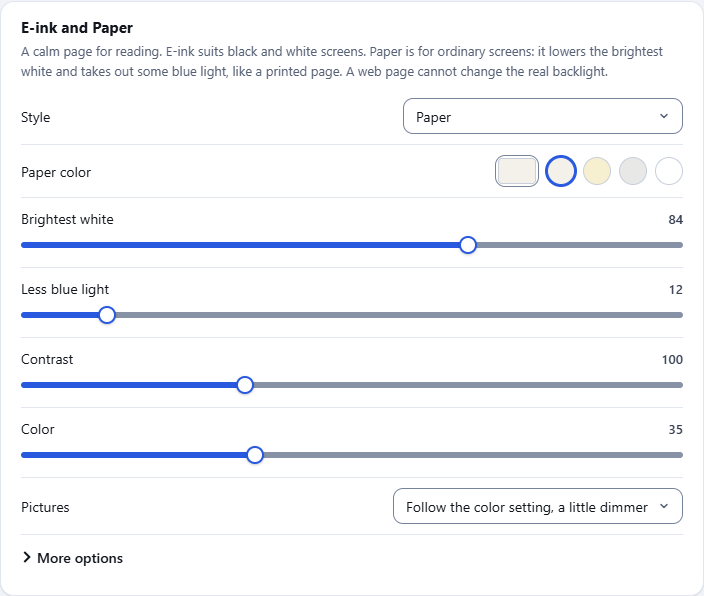
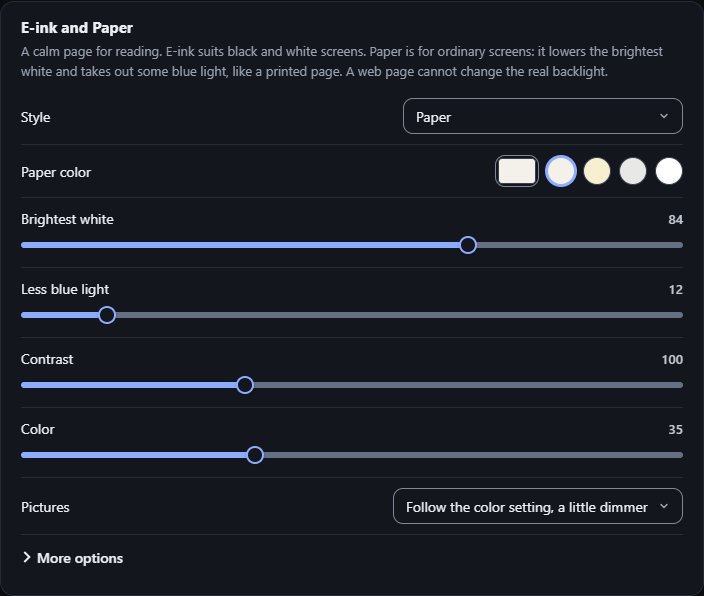
The E-ink and Paper section
- Style starts again from the defaults of that style.
- Paper color takes any color. The four small circles are quick choices: Cream, Soft yellow, Light gray and White.
- Brightest white sets how bright the page white may be, in percent of what your screen can show.
- Less blue light takes blue out of every color.
- Contrast makes borders and gray surfaces stronger or softer. Text keeps at least 7 to 1 contrast in E-ink and 4.5 to 1 in Paper.
- Color sets how much of the color of the page is kept, from 0 (grays only) to 100 (the colors of the page). E-ink starts at 0 and Paper at 35.
- Pictures is Follow the color setting, a little dimmer, Gray, Gray and dimmer or Keep as they are.
Gradients are flattened in this mode. A gradient with only solid colors becomes one color of the paper. A glow or a fade, which has a transparent part, is dropped. A gradient on top of a picture, for example a dark veil under a title, stays. The letters of a title that is filled with a gradient become ink.
Choose More options for the rest. It is closed until you open it.
| Setting | What it does |
|---|---|
| Ink color | The color of text |
| Apply the color to everything, emoji and pictures too | Takes the color of emoji, canvas drawings, vector pictures and other things that the theme cannot reach down to the Color setting. It is on in E-ink and off in Paper, because it also softens the paper tint |
| Gray levels | Rounds colors to 2, 4, 8 or 16 grays, or leaves them smooth |
| Picture contrast | Contrast of gray pictures |
| Thicker lines on controls and focus | Thicker borders on buttons and fields, and a thick focus ring |
| Stop animations, Stop transitions, Stop smooth scrolling, Remove shadows | Each one on its own |
| Tell pages I prefer less motion | Pages that ask the browser for less motion, in script or in their style sheets, get a yes |
| Font and Heavier text | Keep the page fonts, Book font (serif), Plain font (sans-serif) or My own font, and bolder letters |
| Restore the defaults of this style | Puts every setting of the mode back |
Links in this mode have a line under them. To turn it off or on, use Underline links in the Color vision card.
Use it on one site or at night
- In Settings, Sites, choose E-ink under Mode for a site. A Style field appears for that site.
- In Settings, Schedule, set What to do to Switch between two modes. Then choose the mode inside and outside the schedule, for example E-ink at night.
- Save current theme in Appearance saves all these settings in a preset.
The mode works in every browser that runs Tintly.
Was this page helpful?