All guides
No guide matches your search.
Fix a page that looks wrong
What to try when a page has dark text on a dark box, a white block or a lost picture, in the order that usually works fastest.
On this page
A page can look wrong because of how it is built. Try these steps in order. Each one is small, and each one only changes the site you are on.
1. Read the line in the toolbar window
Click the Tintly icon.
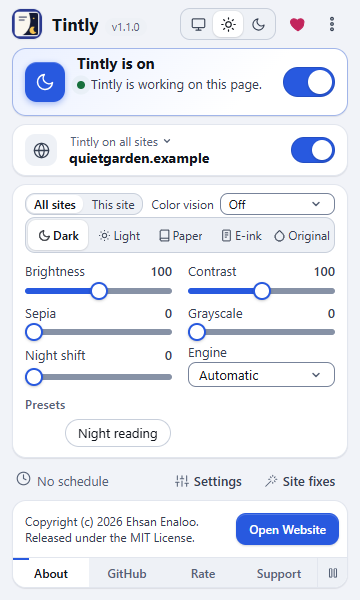
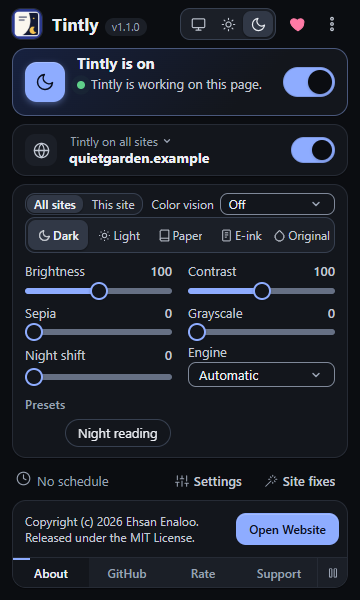
The line under the title says what Tintly does on this page
The line under the title says what Tintly does on this page. It can say that the page is already dark, that the site is off, that the site uses its own theme or its own mode, or that Tintly stopped on this site to keep it working. If the page is left alone and you want it colored, set the site to On. See Control a single site.
2. Try another engine
Choose another Engine. Dynamic gives the best look. Filter and Filter+ can help on a page that is very large or slow. See Pick an engine.
3. Check the site's own theme
If the page has a dark theme of its own and it looks wrong, choose Use Tintly's theme instead in the toolbar window. See Use the dark theme of a site.
4. Check other extensions
Another extension that changes page colors can fight with Tintly. Turn it off for the site and look again.
5. Write a fix
Open the fix editor with Site fixes in the toolbar window. See Fix a site for every field.
- A dark logo or chart that disappears: add its CSS selector to Elements to invert.
- A part that has the wrong color because of an inline style: add it to Elements whose inline colors are left alone.
- A picture that Tintly changes and should not: add it to Images to leave alone.
- A style sheet that causes the problem: add a part of its address to Style sheets to skip.
- A page that Tintly skips because it looks dark: turn on Theme this site even when its colors or the built-in list say it is already dark.
- Anything else: write a few lines of CSS in CSS added to this site.
Changes are saved a moment after you stop typing, and the open page follows.
6. Report it
If no fix is enough, report the page. Give the address of a public page, the mode and the engine, and a picture of how it looks and how it should look. Tintly fixes the pattern behind a problem, so a small example helps most. To send a report, open the menu with the three dots in the toolbar window, choose About Tintly and then Report a problem. It opens a feedback page on enaloo.com. The issue forms on the project page (opens in a new tab) work too.
Was this page helpful?