All guides
No guide matches your search.
Choose a theme for all controls
Pick one of the 35 built-in themes, follow the light or dark setting of Windows, or register a theme with your own colors. All controls repaint at once.
On this page
All controls of Mordex Components paint with one theme system. A theme sets the colors and the style of faces, edges, corners, scroll bars and glyphs.
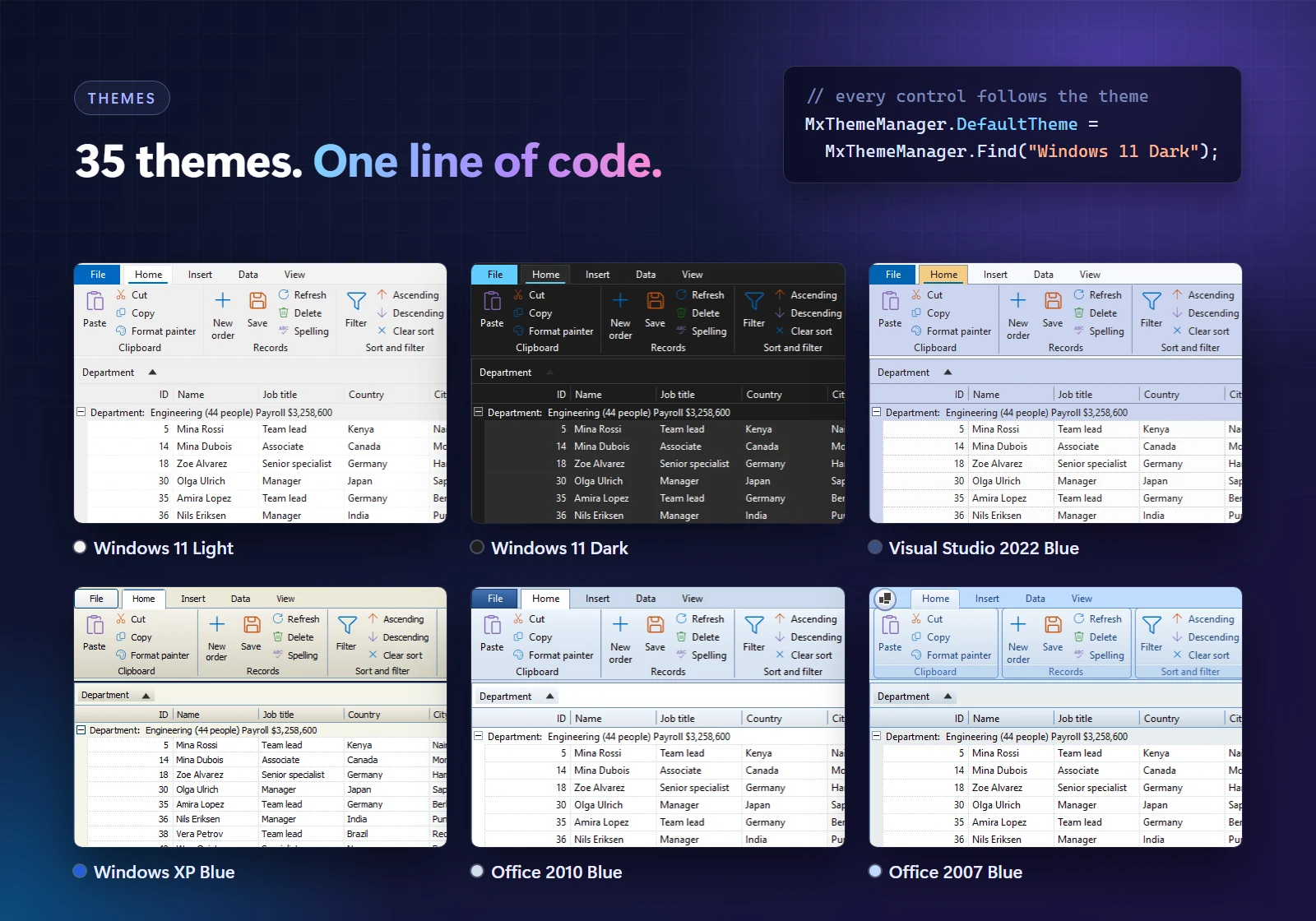
Set the theme
using Mordex.Windows.Common;

MxThemeManager.DefaultTheme = MxThemeManager.Find("Windows 11 Dark");
Controls repaint by themselves. MxThemeManager.RegisteredThemes lists all themes, and the event MxThemeManager.DefaultThemeChanged tells you when the default changes.
The default theme is Standard until your program sets another one.
The built-in themes
- Windows 11 and Windows 10, in light and dark.
- Visual Studio 2022, in light, dark and blue.
- Office 365, in colorful, white, dark gray and black.
- Chrome and Firefox, in light and dark.
- Standard (the colors of Windows), Windows Classic, Windows XP, Office XP, Office 2003, Office 2007, Office 2010, Visual Studio 2005 and Visual Studio 2010.
To show the list in your program, read the Name of each theme in MxThemeManager.RegisteredThemes.
Follow the Windows setting
MxThemeManager.FollowWindows = true;The default theme then switches between a light and a dark theme when the user changes the Windows setting. It is off by default. With high contrast on, the Standard theme is used.
Dark title bar and standard controls
ThemeWindow.Apply(this, MxThemeManager.DefaultTheme);
ThemeWindow.ApplyNativeLook(listView, MxThemeManager.DefaultTheme);
The first line themes the title bar of a form. The second themes the scroll bars of a standard WinForms control. Windows draws these parts itself, so they only follow the light or dark kind of the theme, not its exact colors.
Use your own colors
A color that you set on a control, such as BackColor, wins over the theme.
To make a full theme, create an MxTheme with a name, a family, a kind (light or dark), a shape and a color for each ThemeRole. Register it with MxThemeManager.Register. When you register a theme with the name of the current default, it replaces that theme and the controls repaint.
Printing with a theme
A print job uses the colors of the theme only when the default theme is light. With a dark theme it prints dark text on white paper. The data grid always prints with the colors of Windows.
Change the theme from the right thread
Change the theme from the interface thread. A change from another thread is moved to the interface thread.
Was this page helpful?