All guides
No guide matches your search.
Group rows and show totals in the data grid
Group the rows of MxDataGrid by one or more columns. Add a total row, totals for each group, and totals in the group headers.
On this page
The data grid can sort rows into groups by the values of a column. Each group has a header row that users open and close. Totals can show at the end of each group and at the end of the grid.
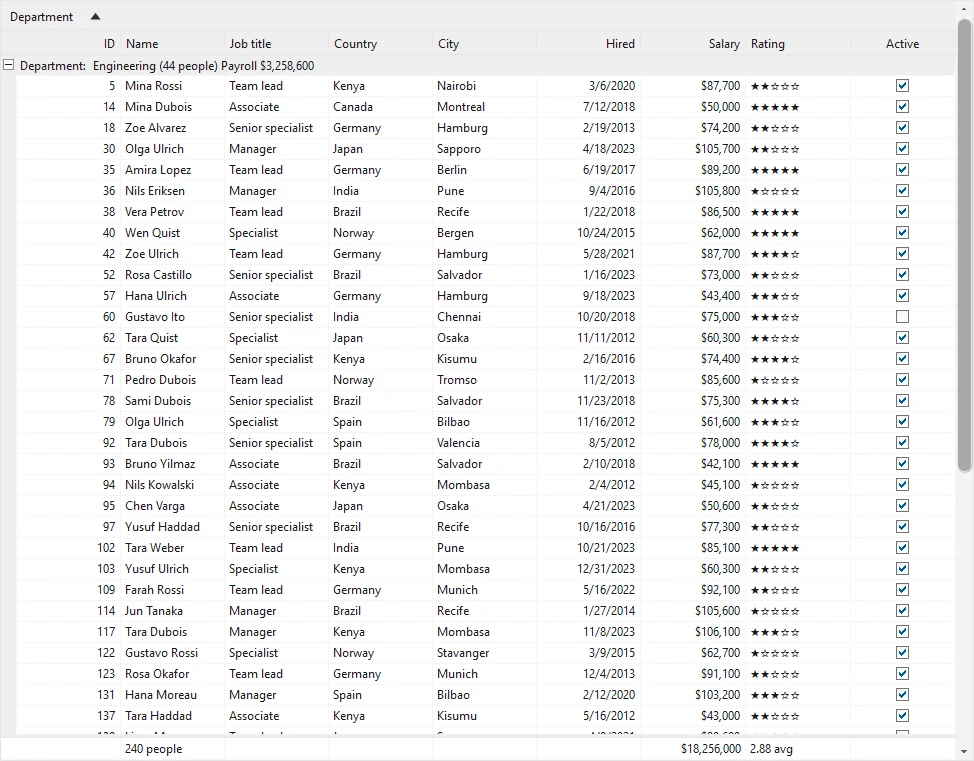
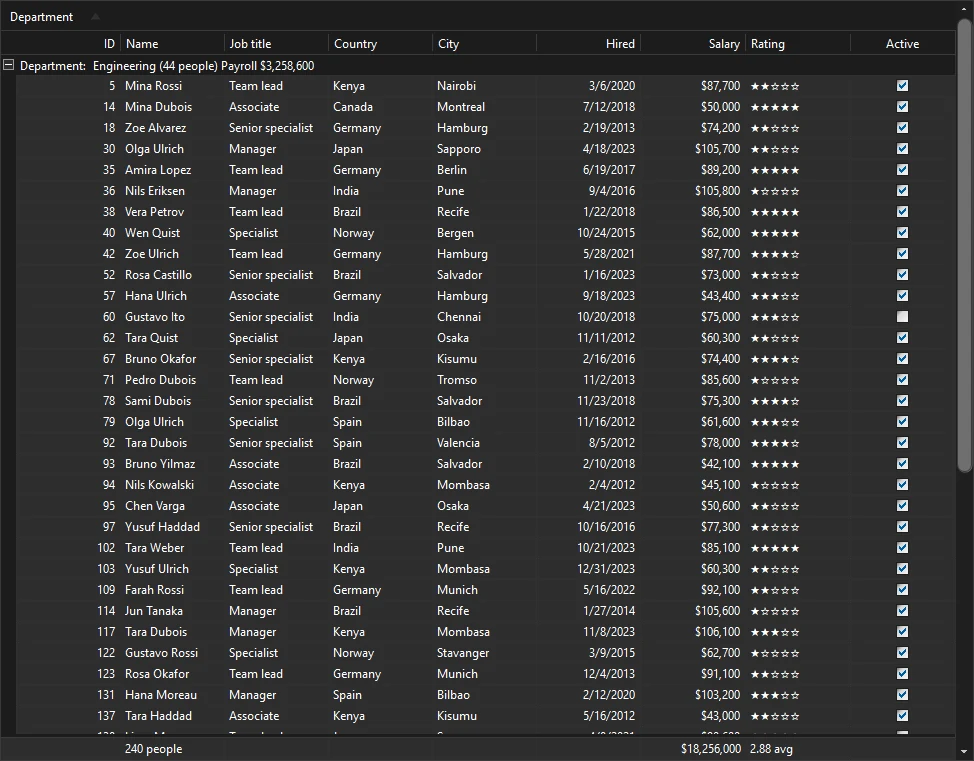
Groups and totals
The examples use using Mordex.Windows.DataGrid; and a grid that is already bound. The data grid guide shows how to bind it.
Let users group by dragging a header
The group by box is the area above the column headers. Users drag a column header into it to group by that column. They drag more headers to nest the groups. GroupByBoxVisible shows or hides the box. It is visible by default.
grid.GroupByBoxVisible = true;
grid.RootTable.AllowGroup = true;
grid.RootTable.Columns["Id"].AllowGroup = false;
AllowGroup on the table turns grouping on or off for that table. AllowGroup on a column stops users from grouping by that one column.
Group rows in code
Add a column to Groups of the table. Each new group nests inside the one before it.
GridTable table = grid.RootTable;
table.Groups.Clear();
table.Groups.Add(table.Columns["Department"]);
table.Groups.Add(table.Columns["Country"]);
Groups.Add also takes the key of a column, and an optional SortOrder for the order of the groups.
Group dates by month or year
A GridGroup with a GroupInterval puts values into ranges. For a date column you can use Date, Month, Quarter or Year. For text, Alphabetical groups by the first letter.
GridGroup byMonth = new GridGroup(
    table.Columns["HireDate"],
    Mordex.Windows.DataGrid.SortOrder.Descending,
    GroupInterval.Month);
table.Groups.Add(byMonth);
Open and close groups
GroupMode sets whether new groups start open or closed. The default is GroupMode.Expanded.
grid.GroupMode = GroupMode.Collapsed;

grid.ExpandGroups();
grid.CollapseGroups();
To open one group, find its header row and set Expanded.
GridRow[] rows = grid.GetRows();
if (rows.Length > 0 && rows[0].RowType == RowType.GroupHeader)
{
    rows[0].Expanded = true;
}
HideColumnsWhenGrouped hides a column while the grid groups by it. The value is already in the group header, so the column is not needed.
grid.HideColumnsWhenGrouped = InheritableBoolean.True;The grid raises GroupsChanging before the groups change and GroupsChanged after.
Add a total to a column
Set AggregateFunction on each column that needs a total. TotalFormatString formats the result.
GridColumnCollection columns = grid.RootTable.Columns;

columns["Name"].AggregateFunction = AggregateFunction.Count;
columns["Name"].TotalFormatString = "0 people";

columns["Salary"].AggregateFunction = AggregateFunction.Sum;
columns["Salary"].TotalFormatString = "C0";

columns["Rating"].AggregateFunction = AggregateFunction.Average;
columns["Rating"].TotalFormatString = "0.00";
The functions are Count, Sum, Average, Min, Max, StdDeviation and ValueCount.
A column total shows in two places. The total row adds up the whole grid. Group total rows add up each group.
Show the total row
TotalRow adds a row at the end of the grid. TotalRowPosition.BottomFixed keeps it in view while the rows scroll. BottomScrollable, the default, puts it after the last row.
grid.TotalRow = InheritableBoolean.True;
grid.TotalRowPosition = TotalRowPosition.BottomFixed;
Show a total row for each group
GroupTotals adds a total row at the end of each group.
| Value | Group total rows |
|---|---|
Never | Not shown. This is the grid default. |
Always | Shown for every group, open or closed. |
ExpandedGroup | Shown only while the group is open. |
grid.GroupTotals = GroupTotals.ExpandedGroup;Put totals in the group header
A GridGroupHeaderTotal writes a total into the header row of each group. TotalPrefix and TotalSuffix add text before and after the value.
GridGroupHeaderTotal count = new GridGroupHeaderTotal(columns["Name"], AggregateFunction.Count)
{
    TotalPrefix = "(",
    TotalSuffix = " people)"
};

GridGroupHeaderTotal payroll = new GridGroupHeaderTotal(columns["Salary"], AggregateFunction.Sum)
{
    TotalFormatString = "C0",
    TotalPrefix = "Payroll "
};

grid.RootTable.GroupHeaderTotals.Add(count);
grid.RootTable.GroupHeaderTotals.Add(payroll);
Read a total in code
GetTotal returns the total of a column for all rows.
object payroll = grid.GetTotal(columns["Salary"], AggregateFunction.Sum);Another overload takes a GridFilterCondition and counts only the rows that match it.
Was this page helpful?