All guides
No guide matches your search.
Settings reference
Open settings from the popup's More controls menu, the dashboard's More actions menu, or the extension's Options page.
On this page
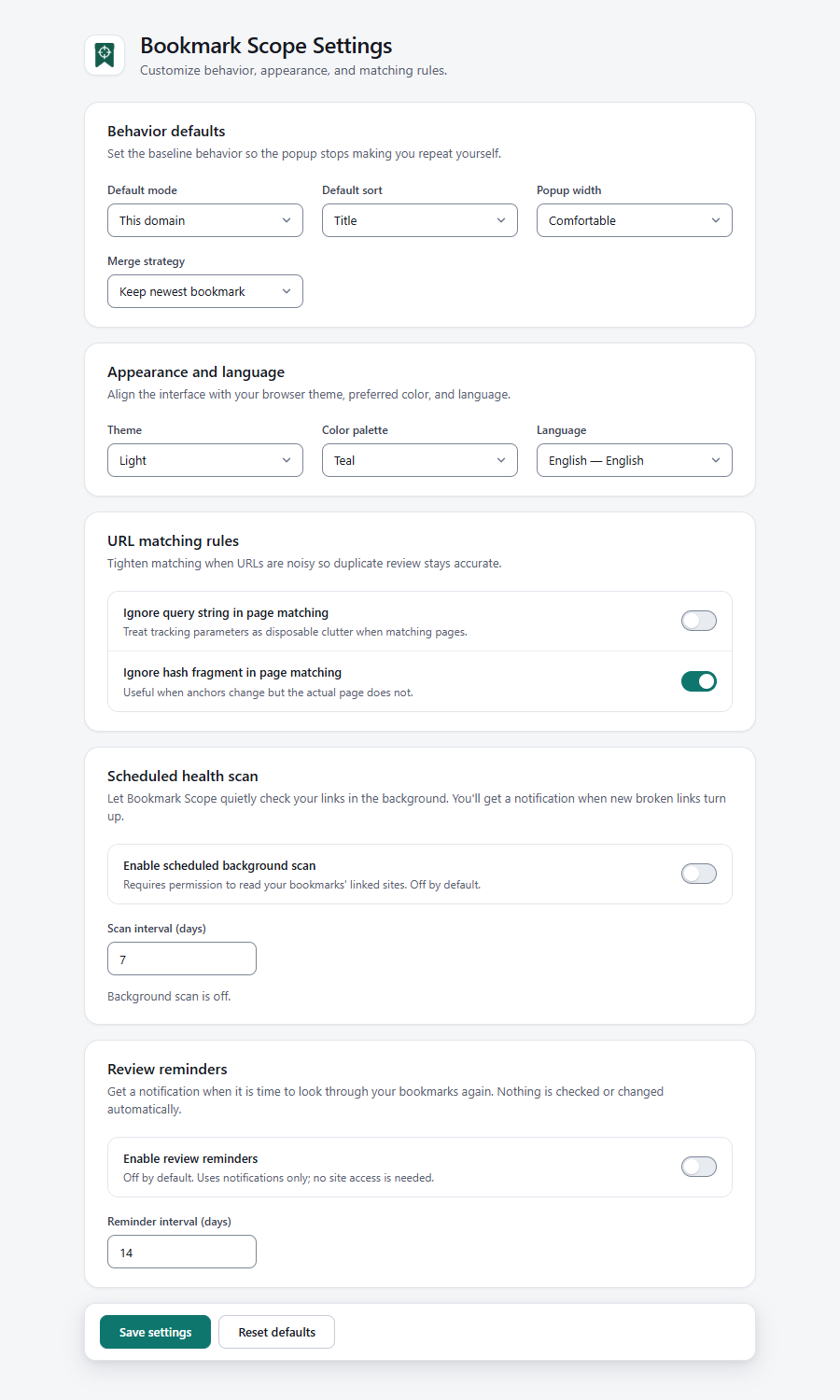
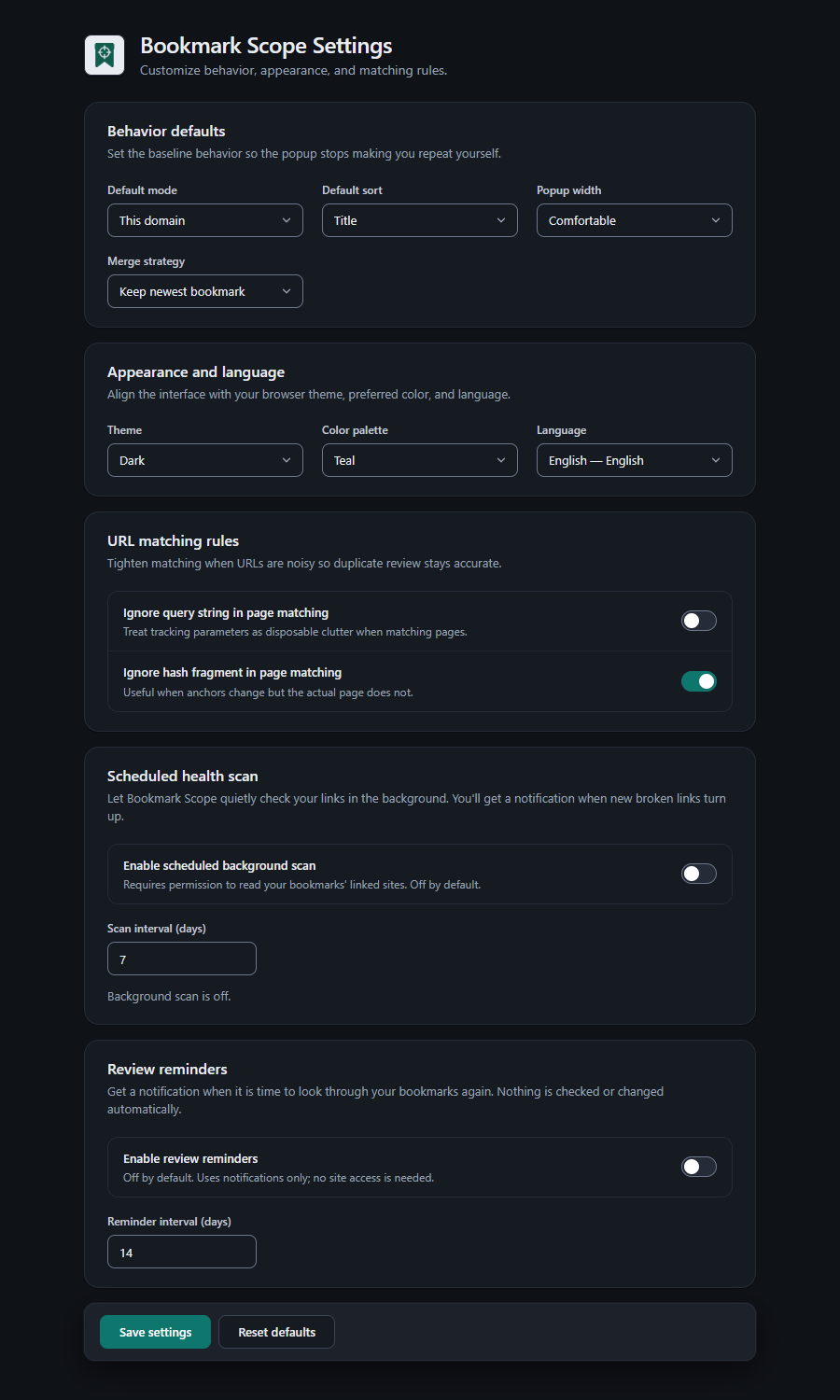
The settings page. Choose Save settings to apply.
Press Save settings to apply changes. Reset defaults restores the nine preferences marked below, and nothing else.
Behavior defaults
| Setting | Choices | Default | Effect |
|---|---|---|---|
| Default mode | This page, This host, This domain | This domain | The popup's starting scope, and the scope the toolbar badge counts. Resets to this on Reset defaults. |
| Default sort | Title, URL, Newest, Oldest, Folder path | Title | The popup's starting sort order. Folder path is available here only. |
| Popup width | Compact, Comfortable | Comfortable | The popup's width: Compact is 380 px, Comfortable is 420 px. |
| Merge strategy | Keep newest bookmark, Keep oldest bookmark | Keep newest bookmark | Which copy is pre-selected as the survivor in Duplicate preview. You can still change each group. |
Appearance and language
| Setting | Choices | Default | Effect |
|---|---|---|---|
| Theme | System, Light, Dark | System | System follows your browser or operating-system colour scheme and updates live. |
| Color palette | Teal, Blue, Indigo, Neutral | Teal | The accent colour of the popup, dashboard and settings. |
| Language | Auto (browser) plus 52 languages | Auto (browser) | Auto uses your browser language when supported and falls back to English. See Appearance, themes and languages. |
URL matching rules
| Setting | Default | Effect |
|---|---|---|
| Ignore query string in page matching | Off | When on, ?utm_source=x and other query strings do not make two pages different. Affects duplicate detection, Page scope, the badge and link-health keys. |
| Ignore hash fragment in page matching | On | When on, #section does not make two pages different. |
Examples are in Finding and searching. Changing these options changes which bookmarks count as duplicates immediately, so review before you delete.
Scheduled health scan
| Setting | Default | Range | Effect |
|---|---|---|---|
| Enable scheduled background scan | Off | On / off | Checks links in the background and notifies you about newly broken ones. Turning it on asks for site access; if you decline, it stays off and the page says Background scan needs site-access permission. It was not enabled. |
| Scan interval (days) | 7 | 1 to 90 | Time between runs. A value outside the range is corrected when you save. |
A status line shows Background scan is off., Background scan is on. First scan will run shortly. or Last scan: …. N bookmarks currently look broken. How it works: Link health.
Note that Reset defaults does not change this section.
Review reminders
| Setting | Default | Range | Effect |
|---|---|---|---|
| Enable review reminders | Off | On / off | Shows a review is due notification on a schedule. Notifications only; no site access is needed. |
| Reminder interval (days) | 14 | 1 to 365 | Time between reminders. How the schedule moves is explained in Review reminders. |
Reset defaults does not change this section either.
Settings that are not on this page
These are remembered automatically as you use the product, each by the screen you change it on:
| Preference | Where you change it | Default |
|---|---|---|
| Popup scope (Page / Host / Domain) | Popup | From Default mode |
| Popup sort | Popup → More controls | From Default sort |
| Theme and colour palette | Popup or dashboard menus, or Settings | System, Teal |
| Dashboard filter chip | Dashboard | All |
| Grouping and group order | Dashboard toolbar | Flat view, Default order |
| Side panel collapsed | Dashboard side rail | Collapsed |
| Dashboard sort | Dashboard toolbar (Sort visible bookmarks) | Title A to Z. Independent of the popup sort |
| Density (compact) | Dashboard toolbar | Normal. Not saved between visits |
| Quick-setup card dismissed | Got it on the card | Shown on first run |
Where settings are stored
Everything above is stored in this browser profile's extension storage (storage.local), not synced across devices. Privacy, permissions and data lists every kind of data.
Was this page helpful?