Bookmarks

Bookmark Scope is installed

Thank you for trying Bookmark Scope. It is ready to use, and you can close this tab. These notes are here if you want them.

Quick startAll guides

What it does

Shows the bookmarks you already have for the site you are on. A dashboard finds duplicates and dead links, and backs up your bookmarks.

  • Bookmarks for the page you are onSee what you saved for the current page, host or domain with one click.
  • Merge duplicatesPreview the merge and choose which bookmark stays. It also finds untitled, old and look alike bookmarks.
  • Link healthFind dead links after you allow site access. Run a scan by hand or on a schedule.
  • SnapshotsSave your folders and tags, and restore them later.
  • Smart viewsSave a search, a filter or a grouping as a named view. A view keeps the recipe, not the bookmarks.
  • Import and exportBring in bookmarks from Pocket, Pinboard and Raindrop. Export to JSON or CSV.

See it in action
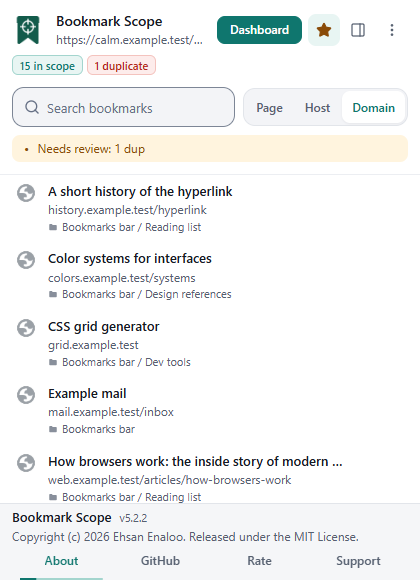
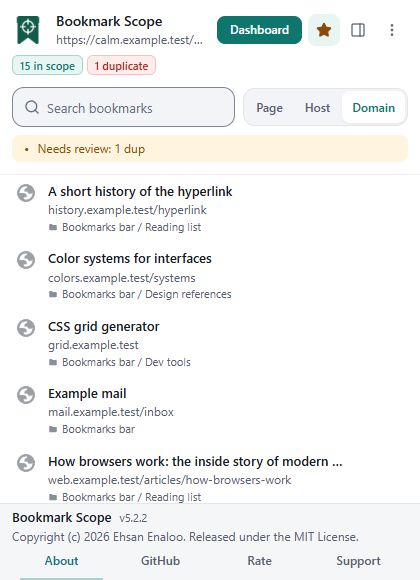
The Bookmark Scope popup showing the current page address, a count of bookmarks in scope, a search box, a Page, Host, Domain switch and a short list of matching bookmarksThe Bookmark Scope popup showing the current page address, a count of bookmarks in scope, a search box, a Page, Host, Domain switch and a short list of matching bookmarks
The Bookmark Scope popup showing the current page address, a count of bookmarks in scope, a search box, a Page, Host, Domain switch and a short list of matching bookmarks
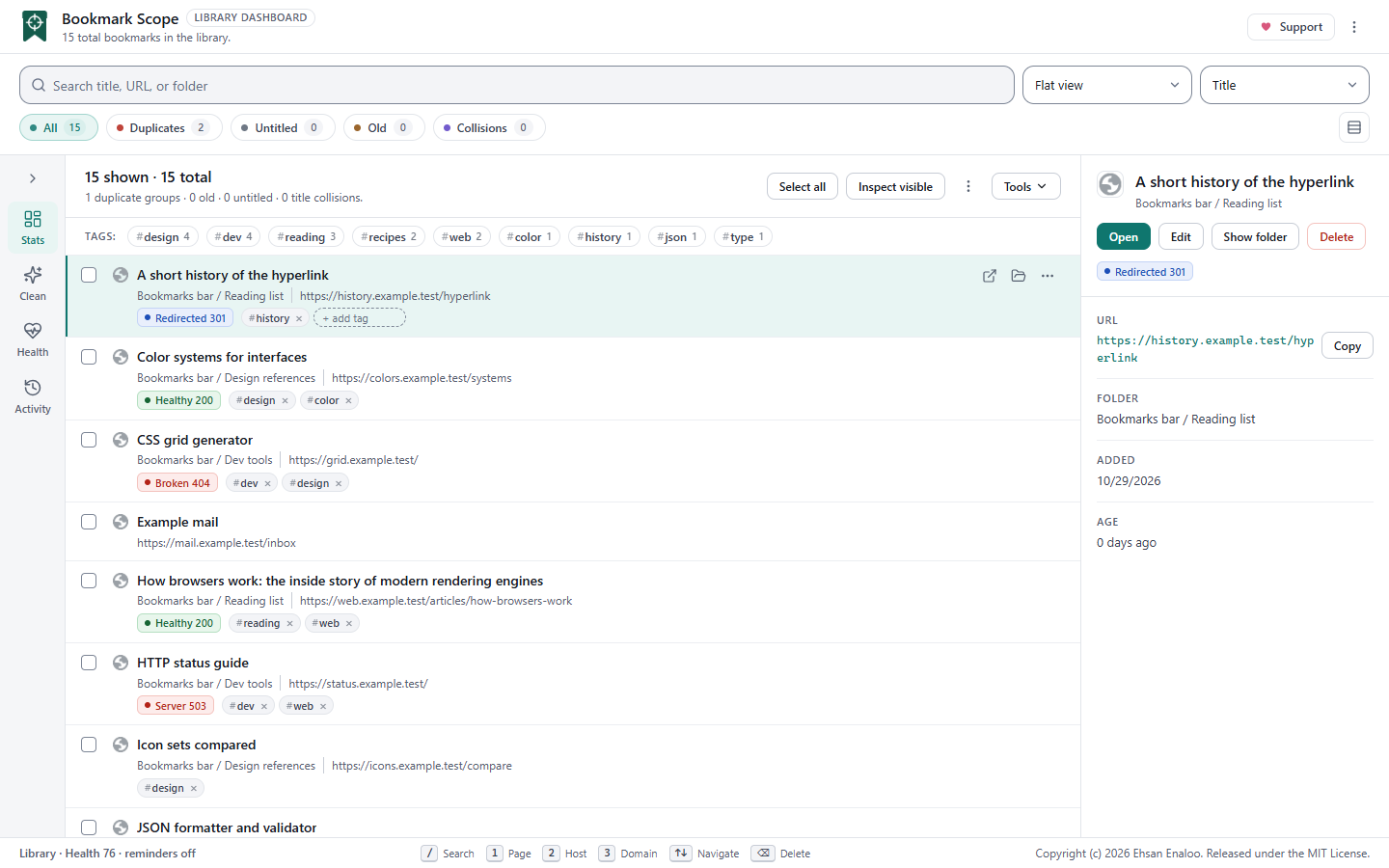
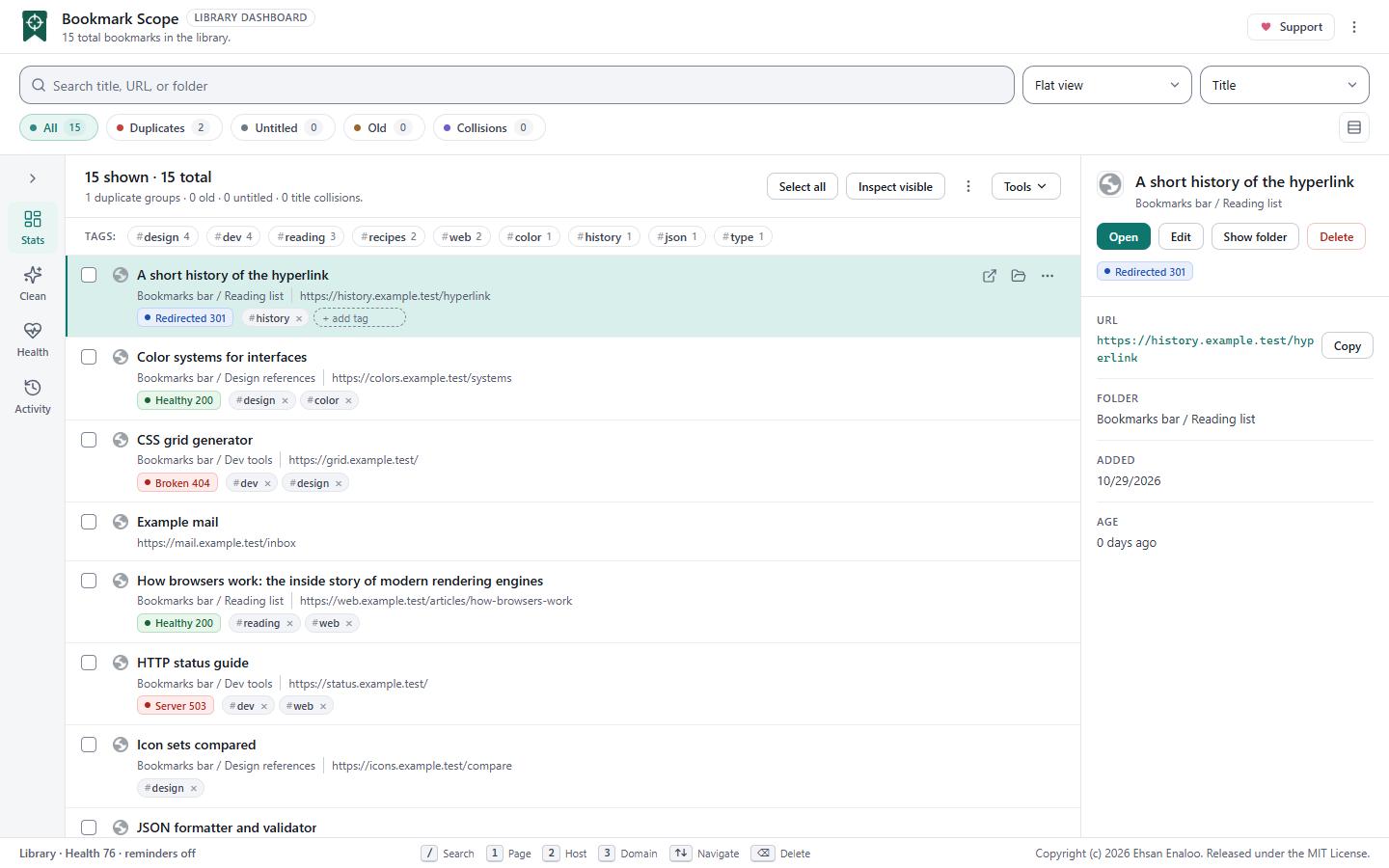
The Bookmark Scope dashboard with the filter chips, a side rail of panels, the bookmark list and a detail panelThe Bookmark Scope dashboard with the filter chips, a side rail of panels, the bookmark list and a detail panel
The Bookmark Scope dashboard with the filter chips, a side rail of panels, the bookmark list and a detail panel
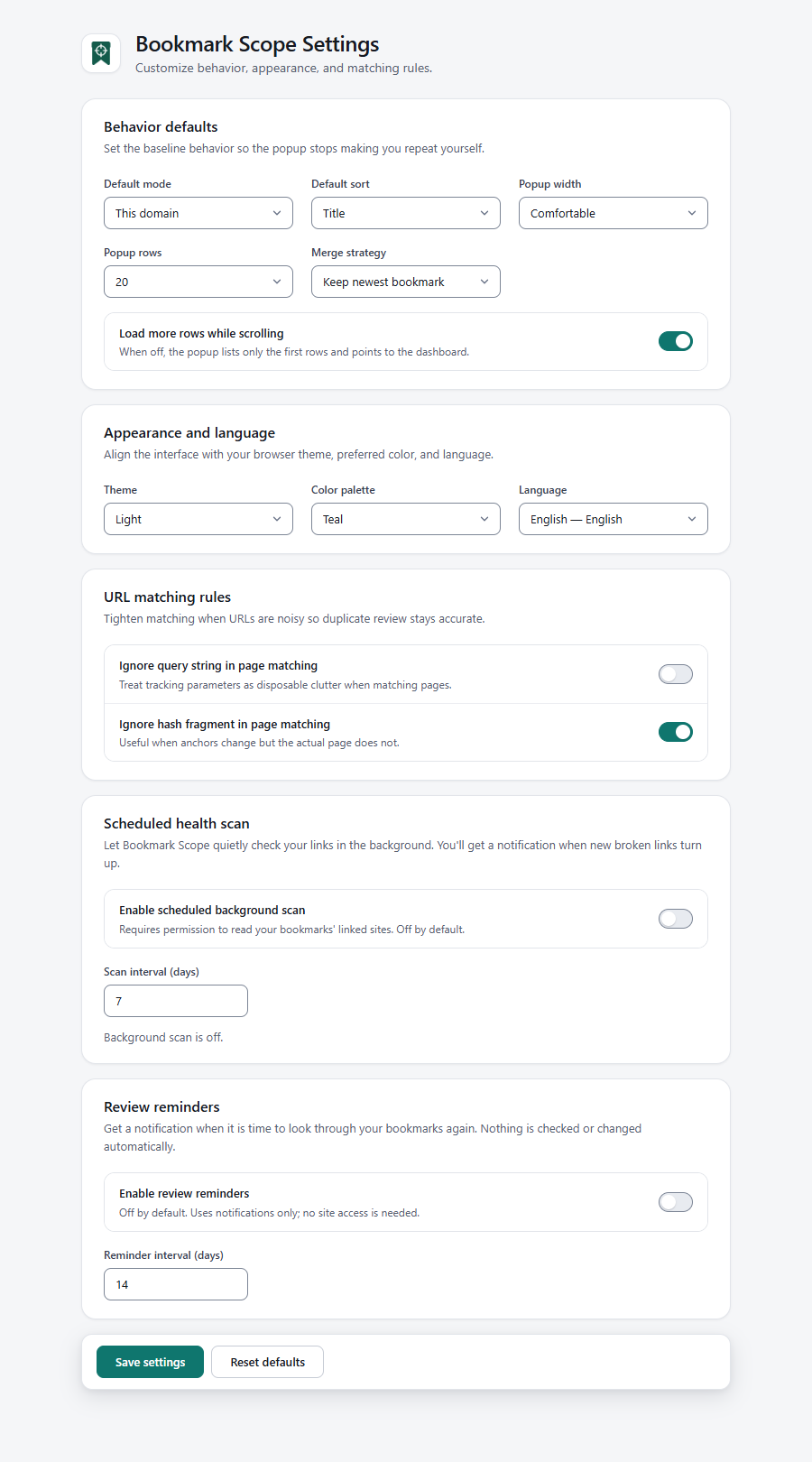
The Bookmark Scope settings page with sections for behavior defaults, appearance and language, URL matching rules, the scheduled health scan and review remindersThe Bookmark Scope settings page with sections for behavior defaults, appearance and language, URL matching rules, the scheduled health scan and review reminders
The Bookmark Scope settings page with sections for behavior defaults, appearance and language, URL matching rules, the scheduled health scan and review reminders
The popup with the About tab selected in the footer, showing the app name, version and the line Made by Ehsan Enaloo
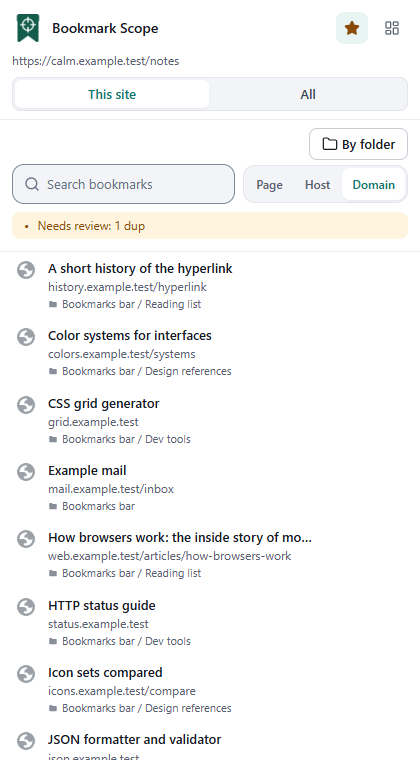
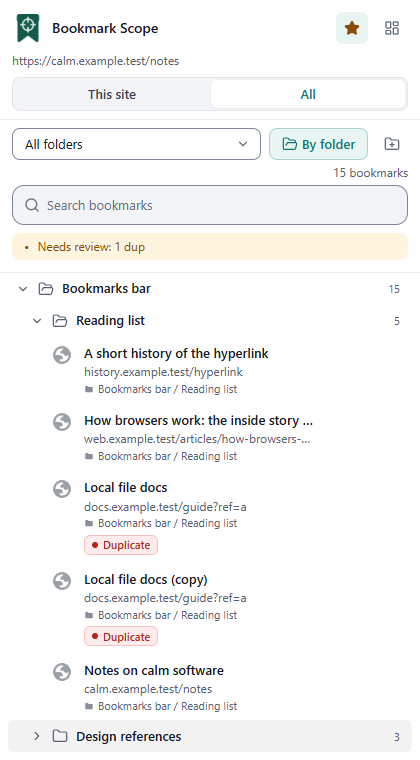
The side panel in the This site view: the page address, the This site and All buttons, a search box and a list of bookmarks for the site
The side panel in the All view with By folder on: the Reading list folder is open and lists its bookmarks, the other folders are closed
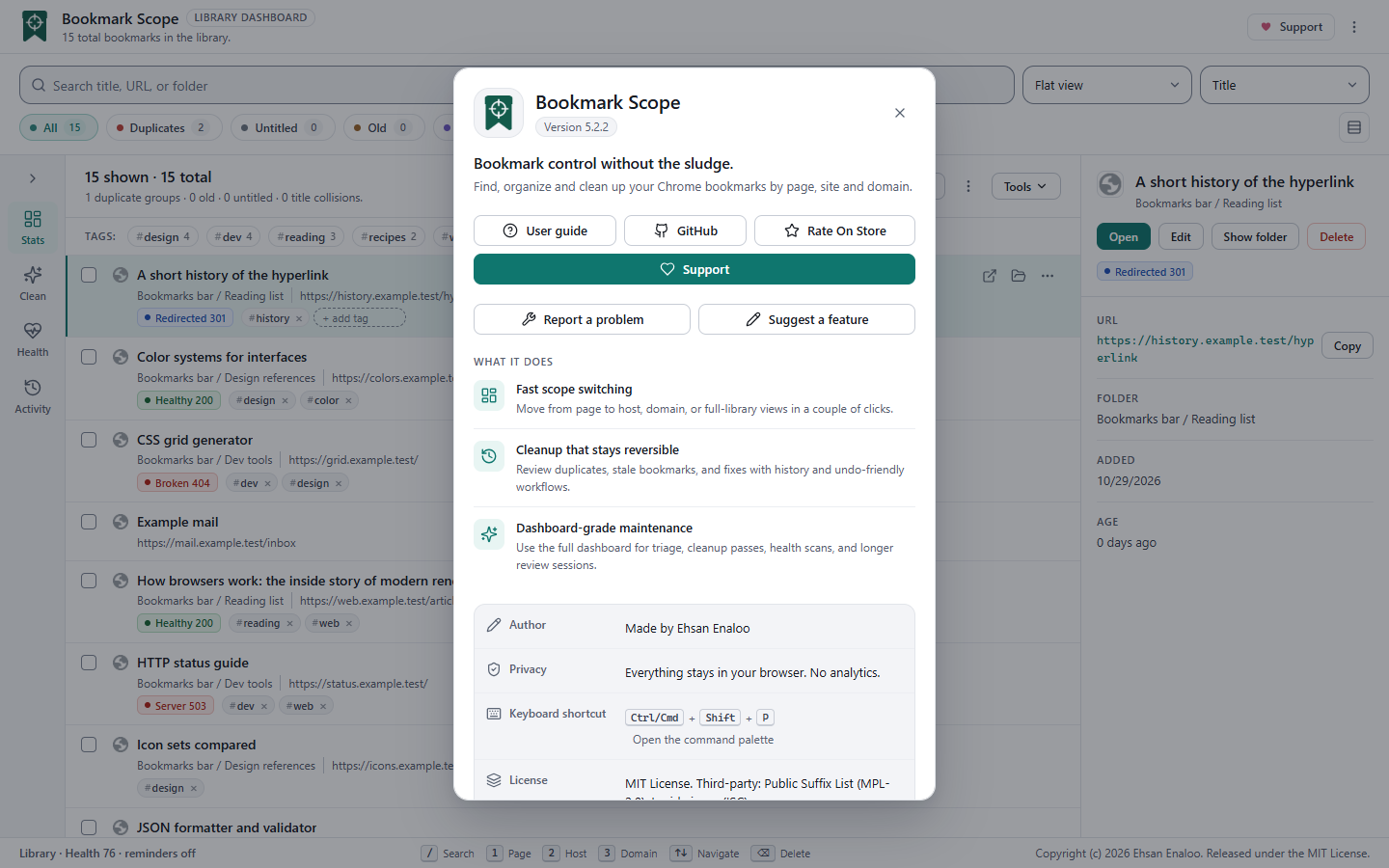
The About dialog over the dashboard: app icon, name and version, User guide, GitHub, Rate on Store and Support buttons, a list of what the extension does, and details for author, privacy, keyboard shortcut and license
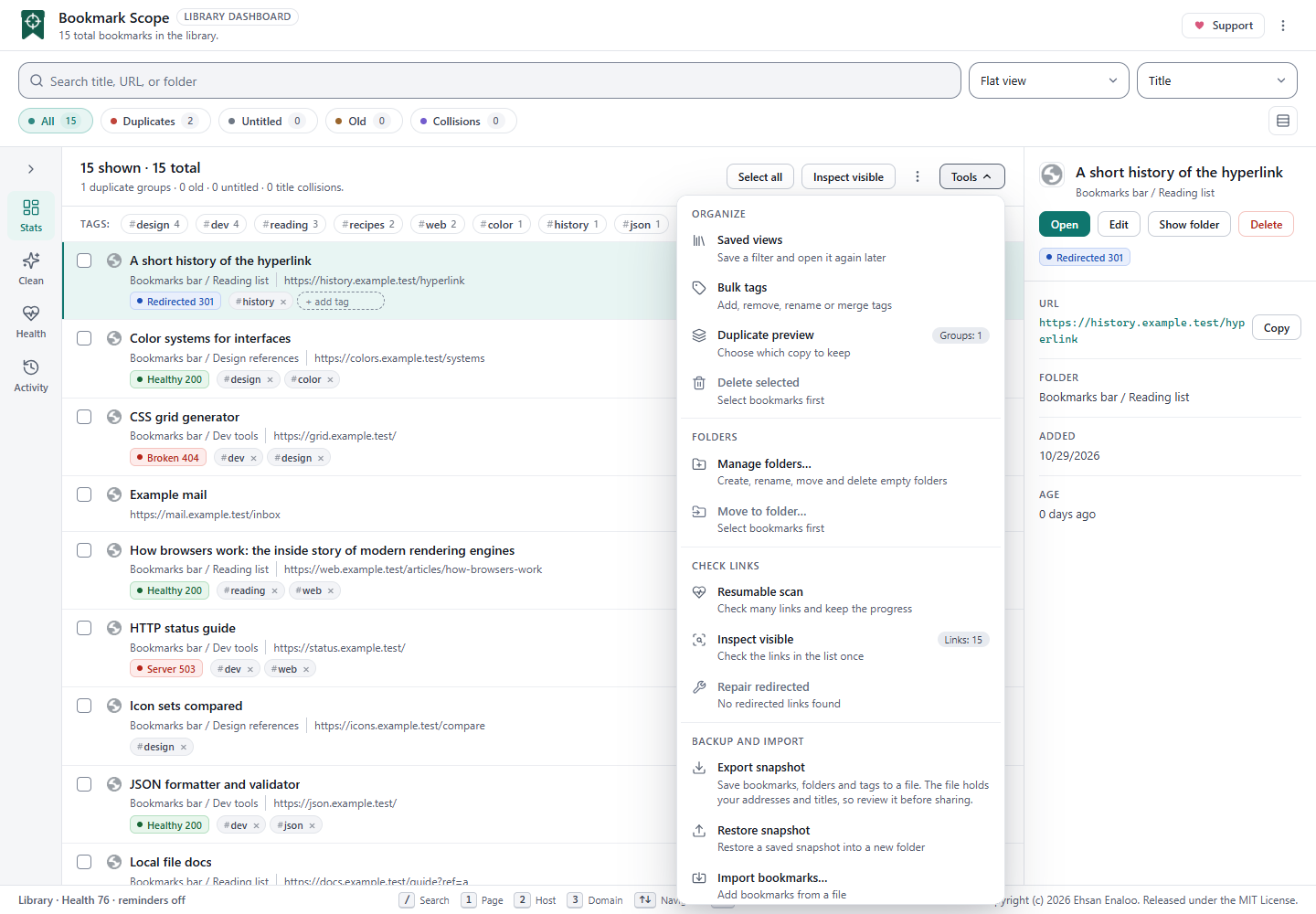
The Tools menu listing commands in five groups with hints and counts
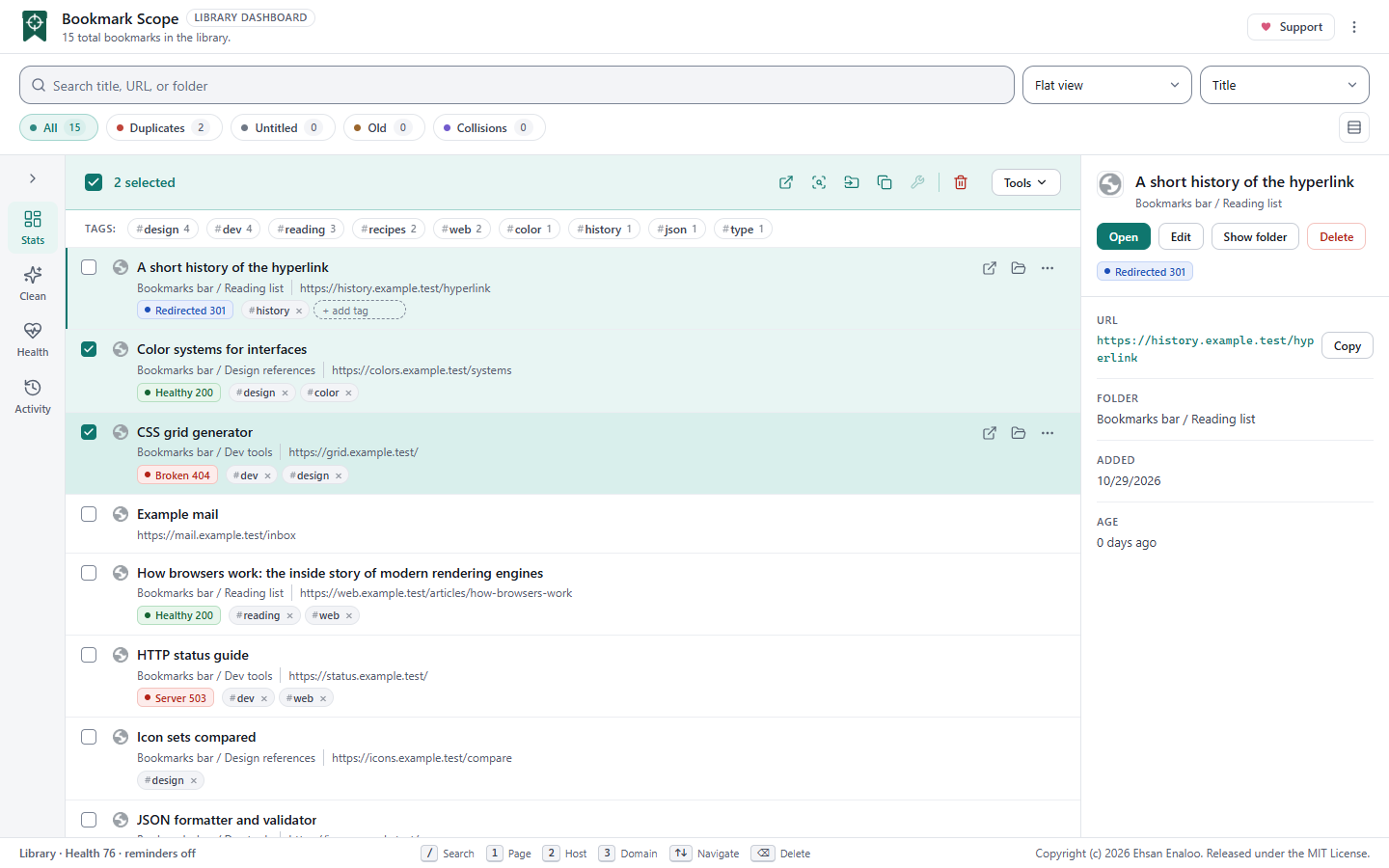
The dashboard with two rows selected and a selection bar above the list with a count and icon buttons for the batch actions, next to the Tools button
The dashboard with the detail panel on the right showing the active bookmark title, folder path, Open, Edit, Show folder and Delete buttons, a health badge, and fields for URL, folder, date added, age and redirect target
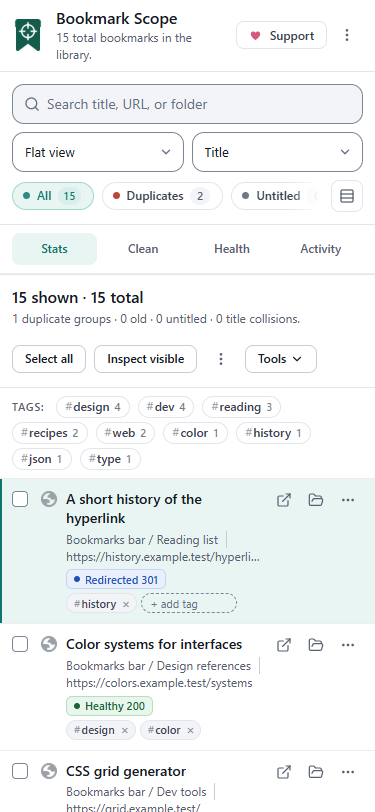
The dashboard at phone width with the toolbar stacked above a single column list
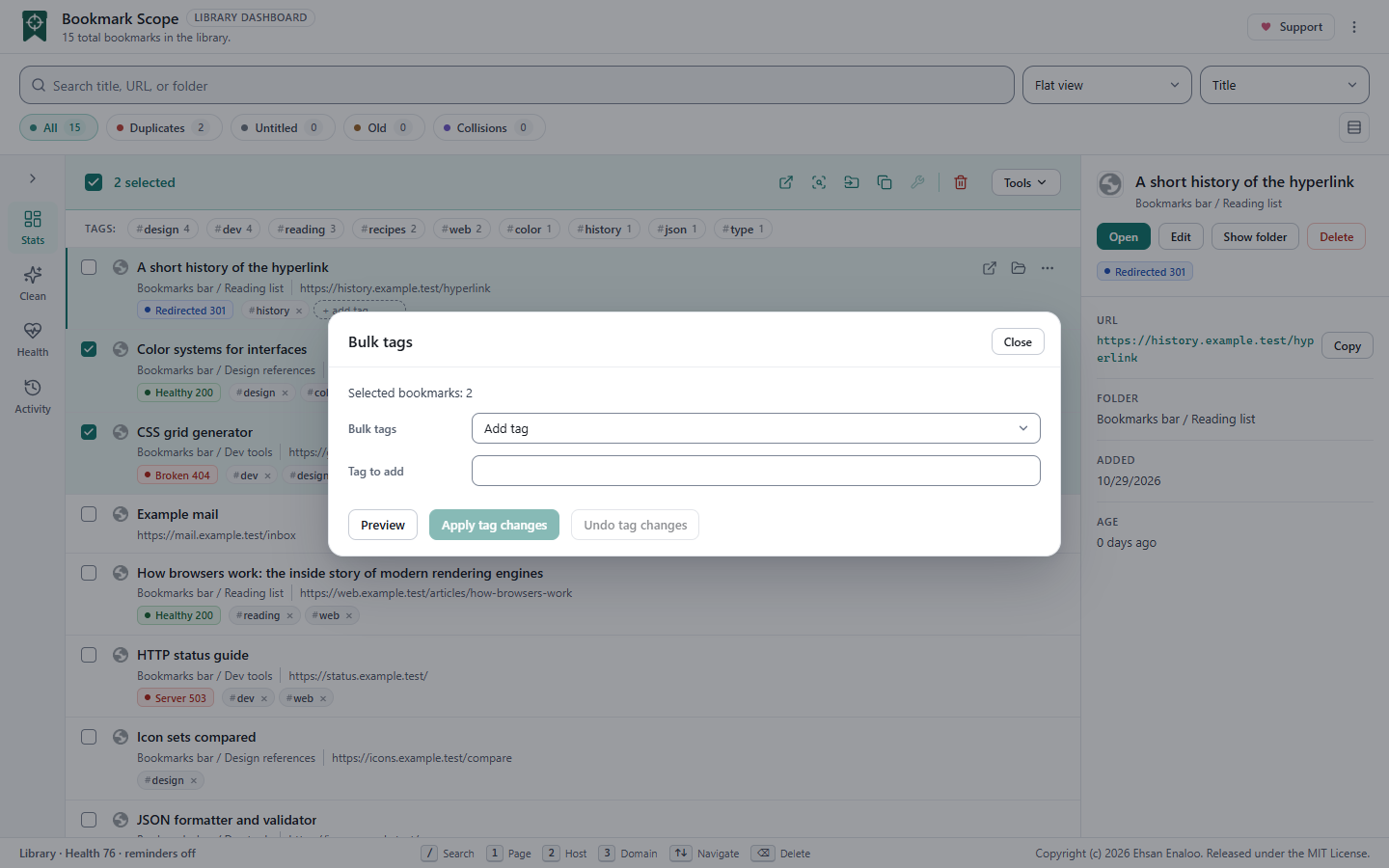
The Bulk tags dialog showing the target scope, the operation selector, a tag field and a preview listing the before and after tags for each bookmark

Keep it within reach

  • Chrome: Click the puzzle icon in the toolbar, then the pin next to Bookmark Scope.
  • Edge: Click the puzzle icon in the toolbar, then the eye icon next to Bookmark Scope to show it in the toolbar.
  • Firefox: Click the puzzle icon in the toolbar, then the gear next to Bookmark Scope and choose Pin to Toolbar.

Questions or problems

The first way to report a bug or share an idea is a GitHub issue. No GitHub account? Use the form on this site. I read every message.

Open on GitHub (opens in a new tab)Use the form

Learn more

Short guides for the main features.

This page has no form, no cookies and no tracking. Opening it adds one to a daily count of installs, with no address and no identifier. It loads no third-party script. The optional chat button sends nothing until you ask a question. Privacy policy