All guides
No guide matches your search.
Exporting a list of chats
Save the titles and links of the chats you selected as a file, before you delete anything or just to keep a list.
On this page
What it does: creates a file from the chats you ticked and saves it to your computer. It changes nothing on the site.
Export step by step
- Tick the chats. Select the chats you want in the list. Export is disabled until at least one chat is ticked. It works on all four sites.
- Open the Export menu. Click Export in the panel. A small menu opens with three choices.
- Choose a format. Click JSON, CSV or Markdown. Your browser saves the file and the panel shows a message such as Exported 5 chats as Markdown.
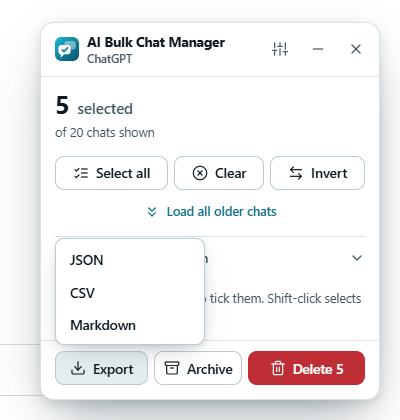
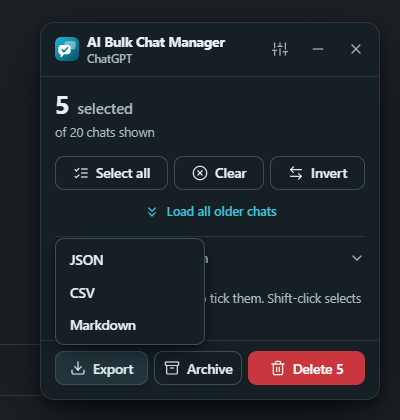
The Export menu has three formats.
Press Esc to close the menu without exporting.
What is in the file
Each exported chat has three things: its title, its full link (starting with https://) and its id. The file also records the site name and the time of the export.
The file never contains your conversation text. The extension does not read conversations, only the chat list that the sidebar shows.
Titles can be private
A chat title can reveal a lot. Read the file before you share it or attach it to a bug report.
The three formats
| Format | Use it for | What it looks like |
|---|---|---|
| JSON | Scripts and other programs. | An object with exportedAt, site, count and a chats list. Each chat has title, url and id. |
| CSV | Spreadsheets such as Excel. | A header line title,url,id, then one line per chat. The file starts with a byte order mark so Excel reads non-Latin titles correctly. A title that begins with =, +, - or @ gets a leading apostrophe so a spreadsheet does not run it as a formula. |
| Markdown | Notes apps and readable lists. | A heading with the site name and the count, then one bullet per chat as a link: - [Title](link). |
File name and location
Files are named ai-chats-<site>-<date and time>.<format>, for example ai-chats-chatgpt-2026-10-08T12-30-00.json. Your browser decides where the file goes. By default that is your downloads folder. If you set your browser to ask where to save each file, it asks.
The file is made on your device and is not uploaded anywhere.
Tips
- Export before a big delete. The file is a record of titles and links, not a backup of the conversations. After you delete a chat, its link stops working.
- Use Load all older chats first if you want your whole history in the file.
Was this page helpful?