On this page
See it in action
Web pages that fit your eyes
Tintly changes the colors of every page you open: dark, light, paper-like or E-ink gray. If red and green look alike to you, it moves colors apart so charts, maps and status lights are easy to read. You set it once for each site, or let a schedule do it. Everything stays on your device.
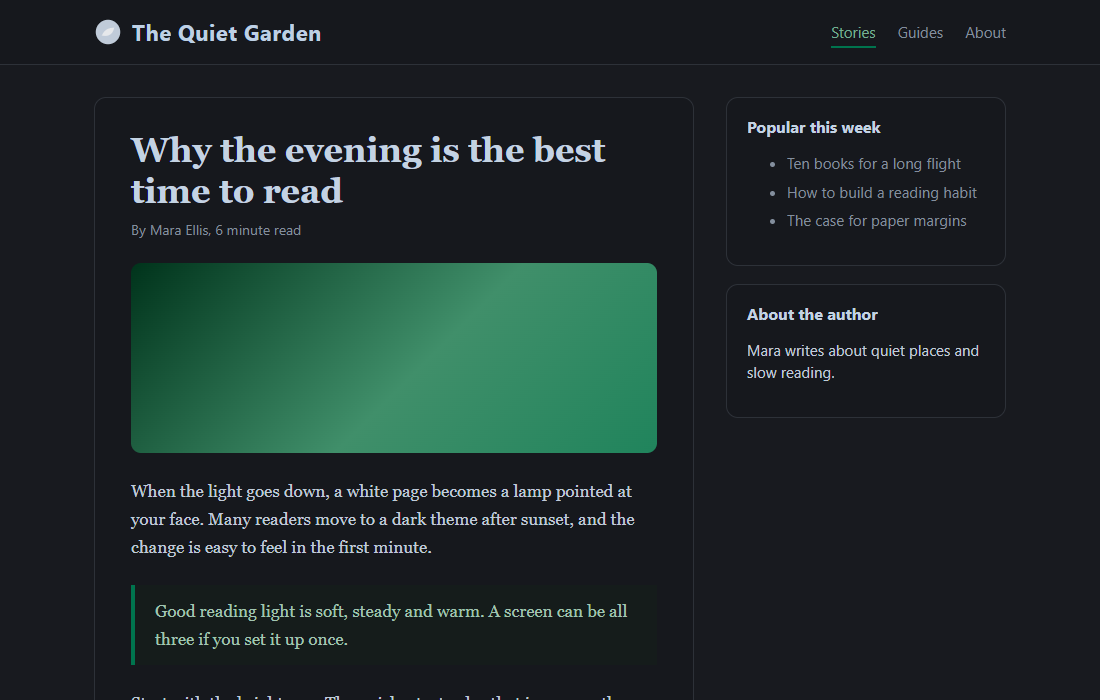
Five ways to see a page
- Dark for evenings and dim rooms, with seven palettes and text that stays easy to read.
- Light for bright rooms, with four palettes.
- Paper for long reading: a warm paper color, soft ink and less blue light.
- E-ink for the calmest page: white paper, black ink and grays, with no animation.
- Original to keep the colors of the page and apply only the filters you choose.
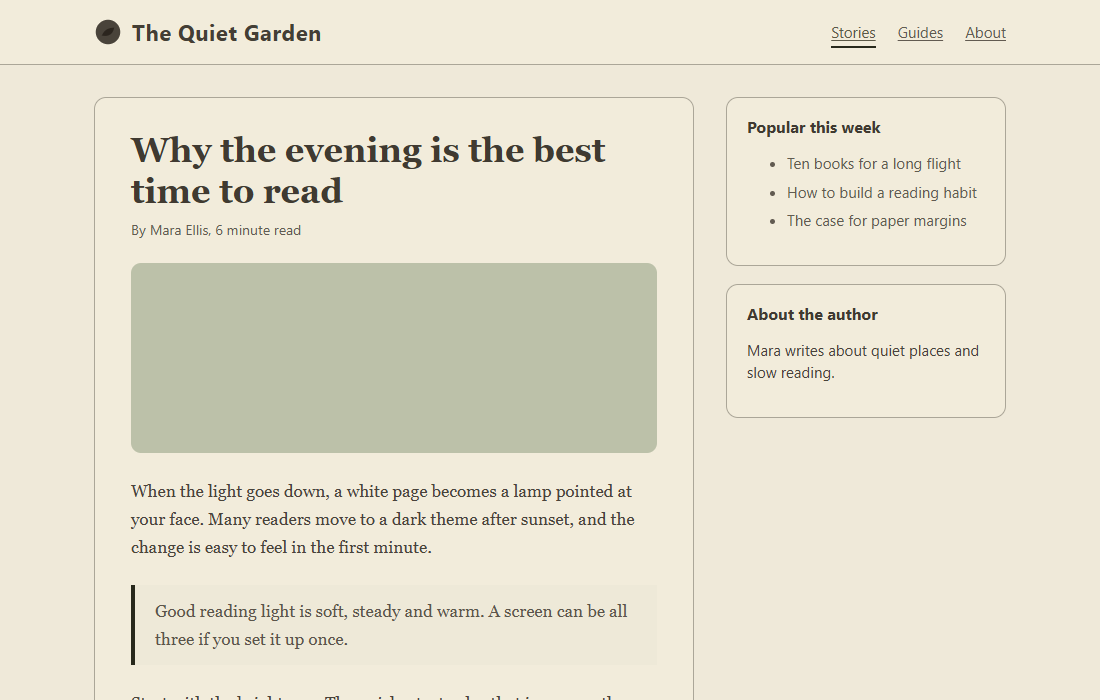
If red and green look alike
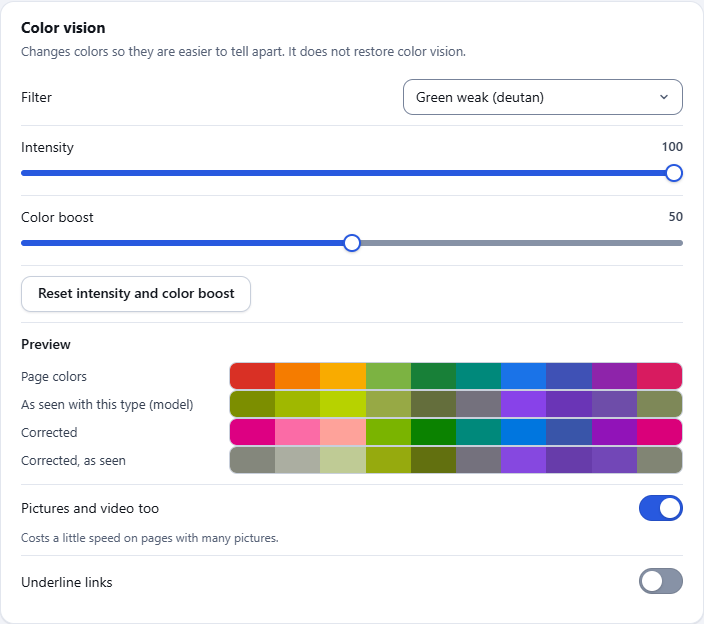
Choose red weak, green weak or blue weak and set the strength. Colors that look alike move apart, and grays and brightness stay as they are. The filter works with every mode, or alone on the page's own colors.
A look at Tintly
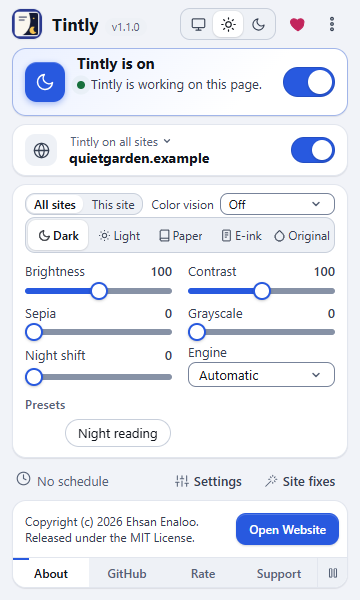
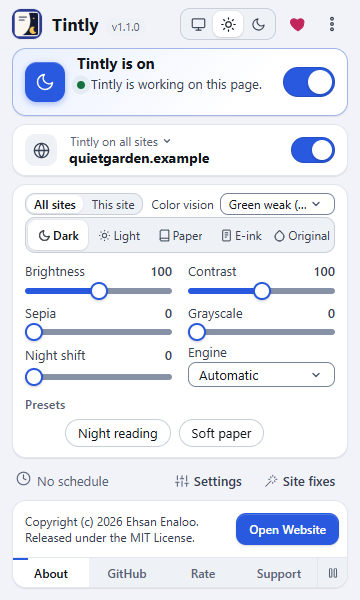
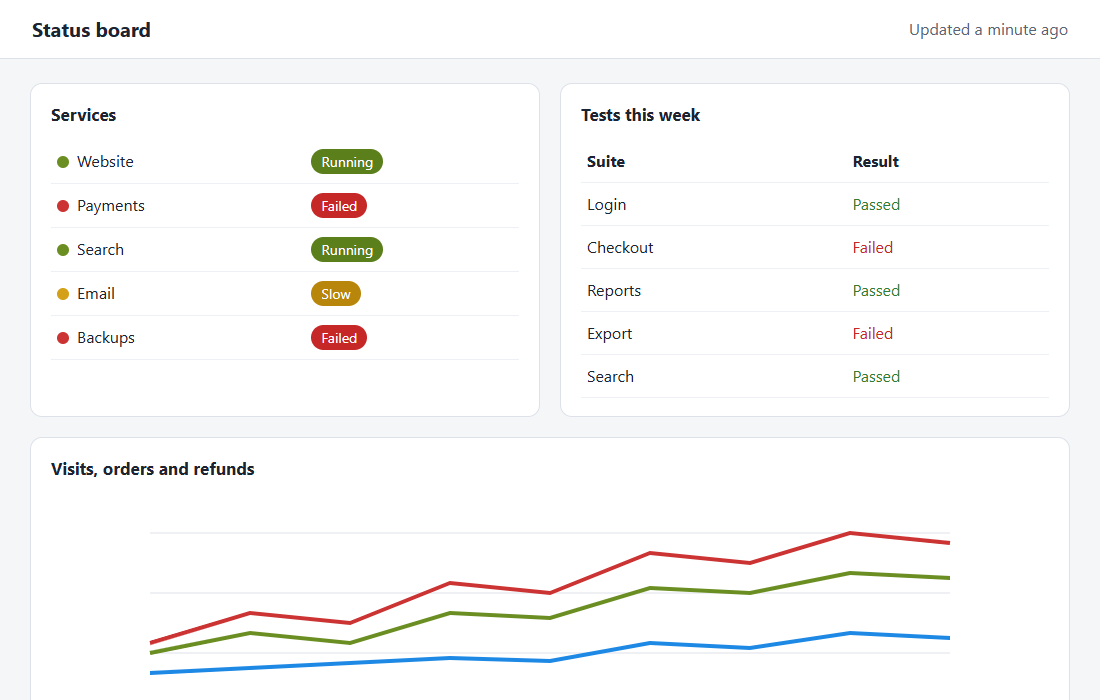
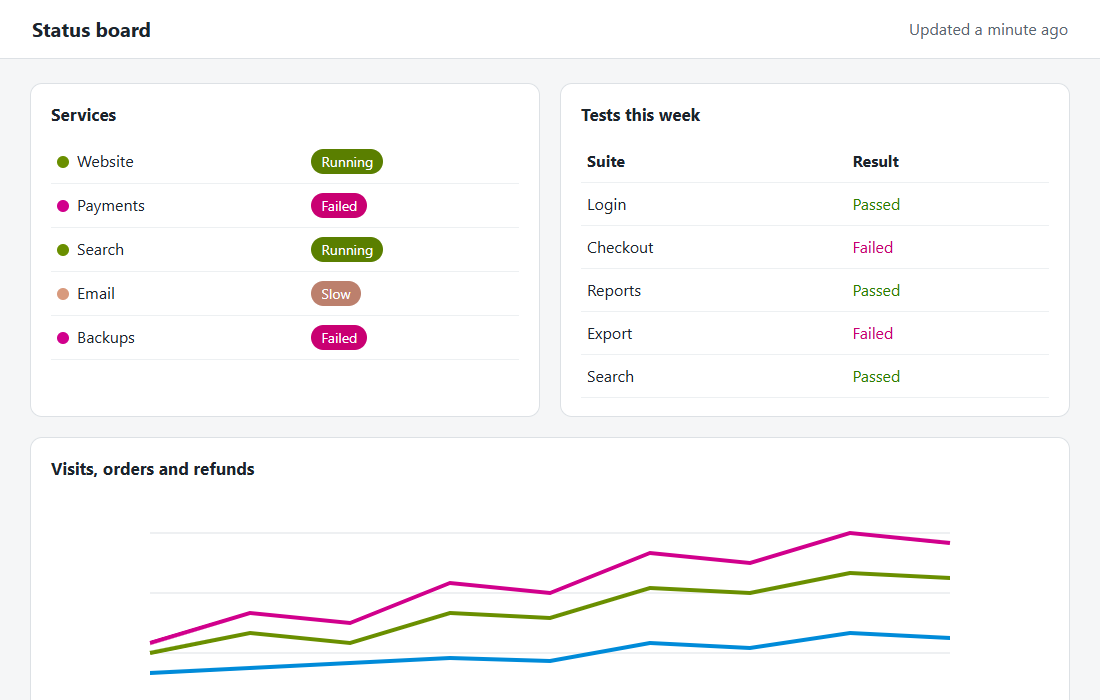
The toolbar window is where you work most of the time. Choose a mode, a color vision filter, the sliders and a preset, for all sites or for the site you are on.
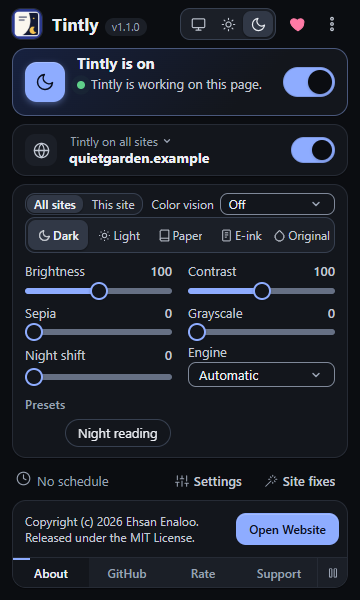
The toolbar window: mode, color vision, sliders, engine and presets
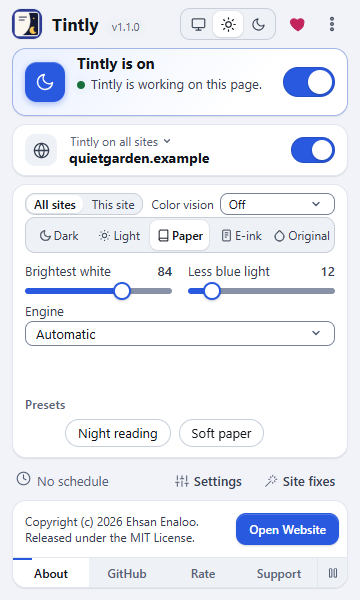
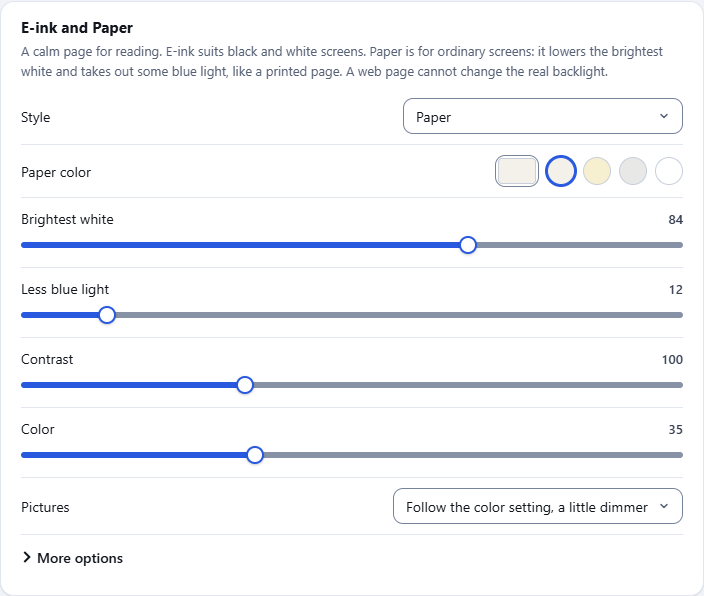
In Paper and E-ink two sliders replace the five, so you can set the brightest white and the blue light for the evening.
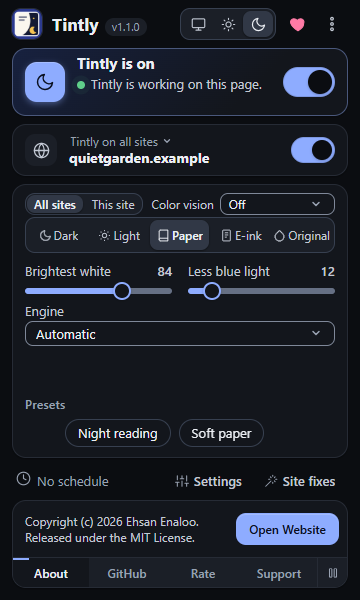
The toolbar window in the Paper mode
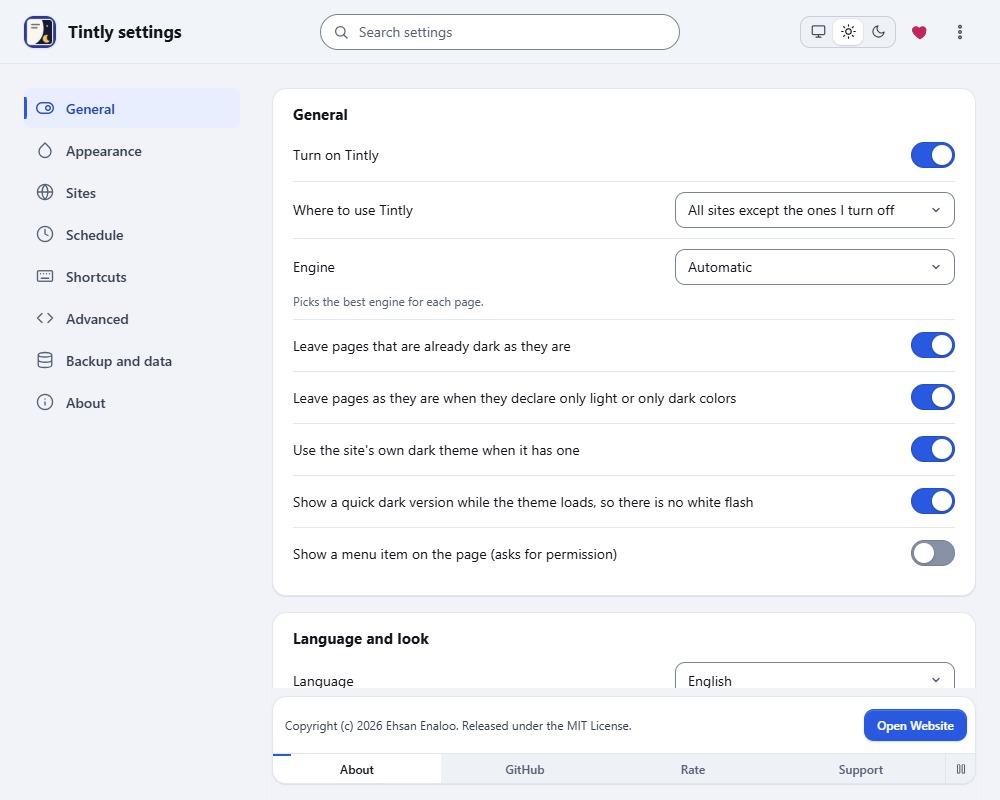
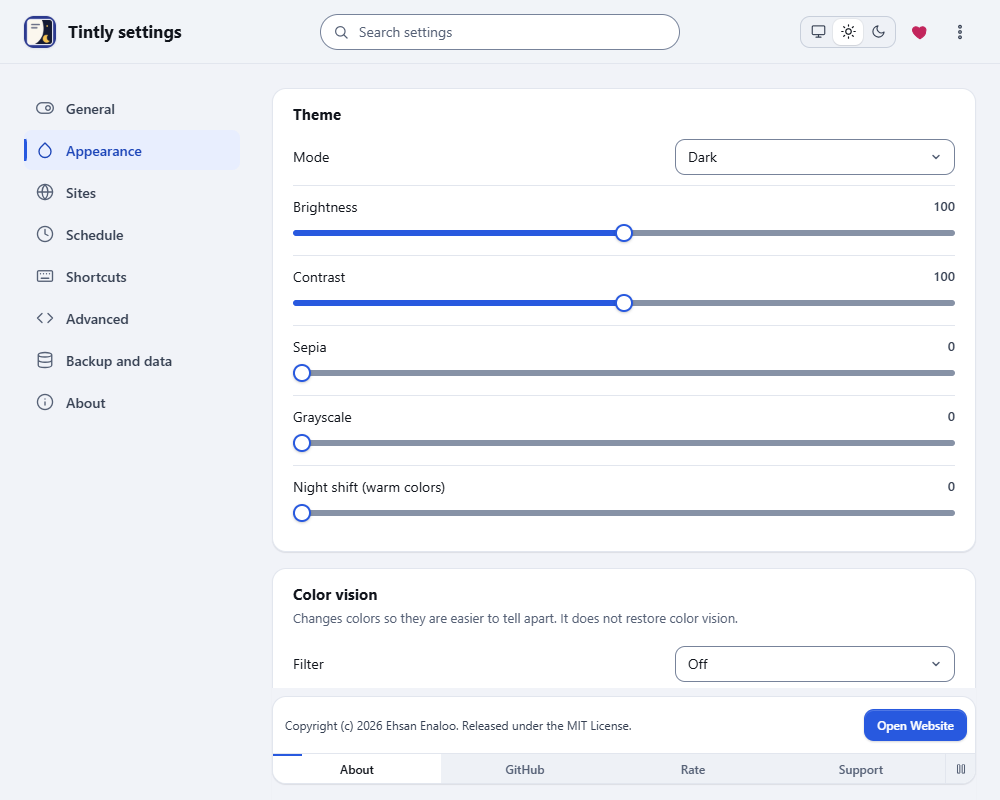
The settings page holds the palettes, the fonts, the color vision card with its preview, your presets and more.
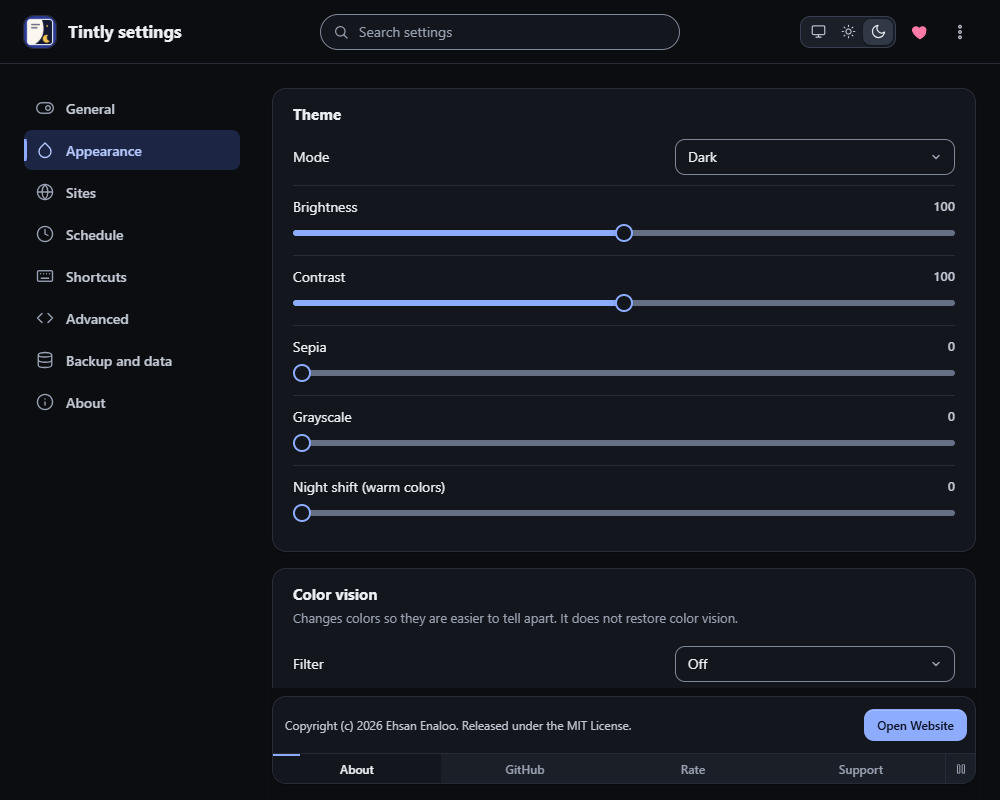
Settings, Appearance
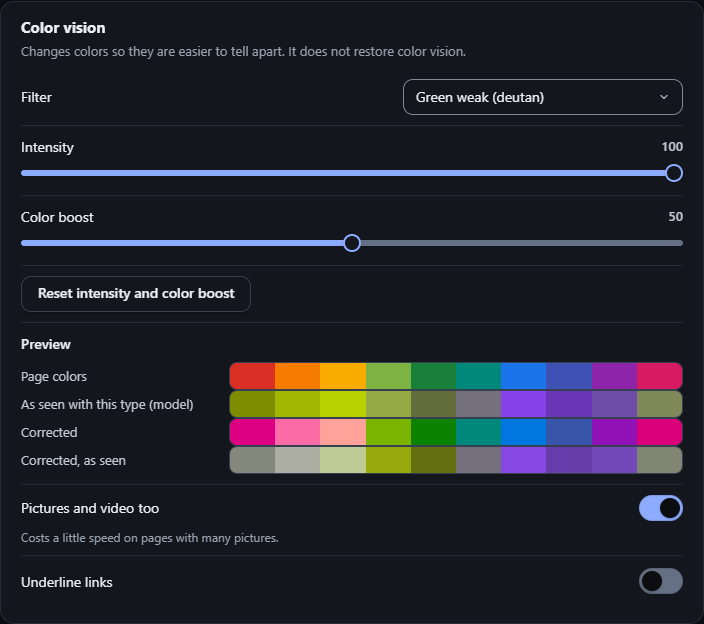
The Color vision card
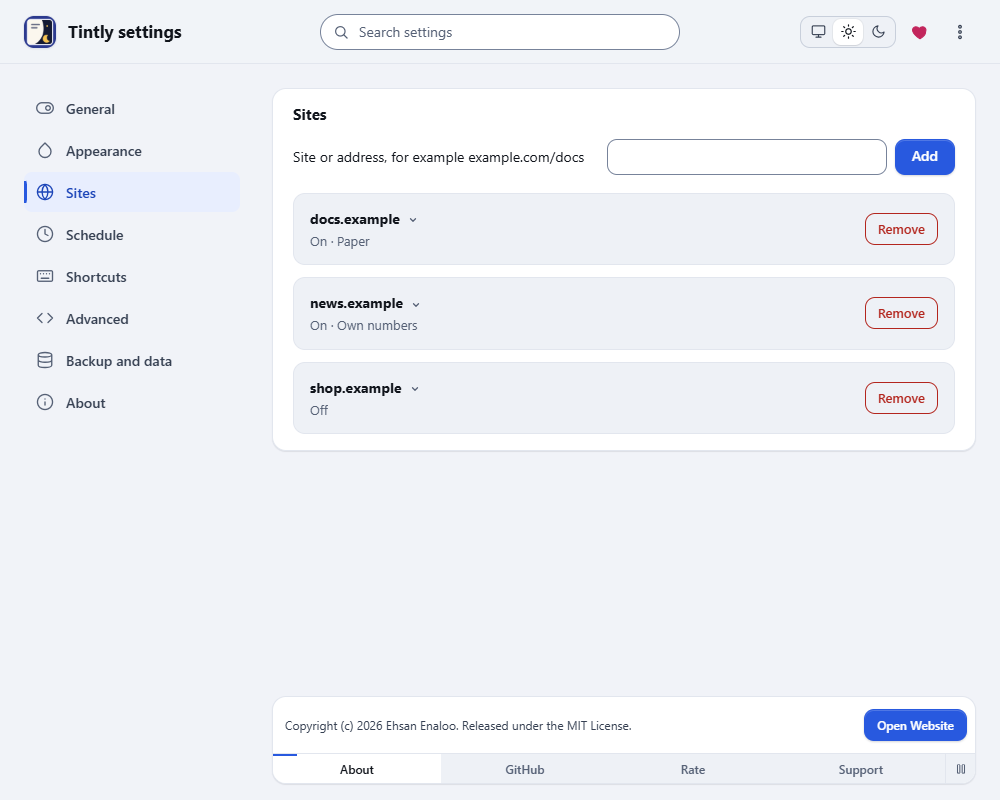
Every site can have its own rule: on, off, or its own mode and colors.
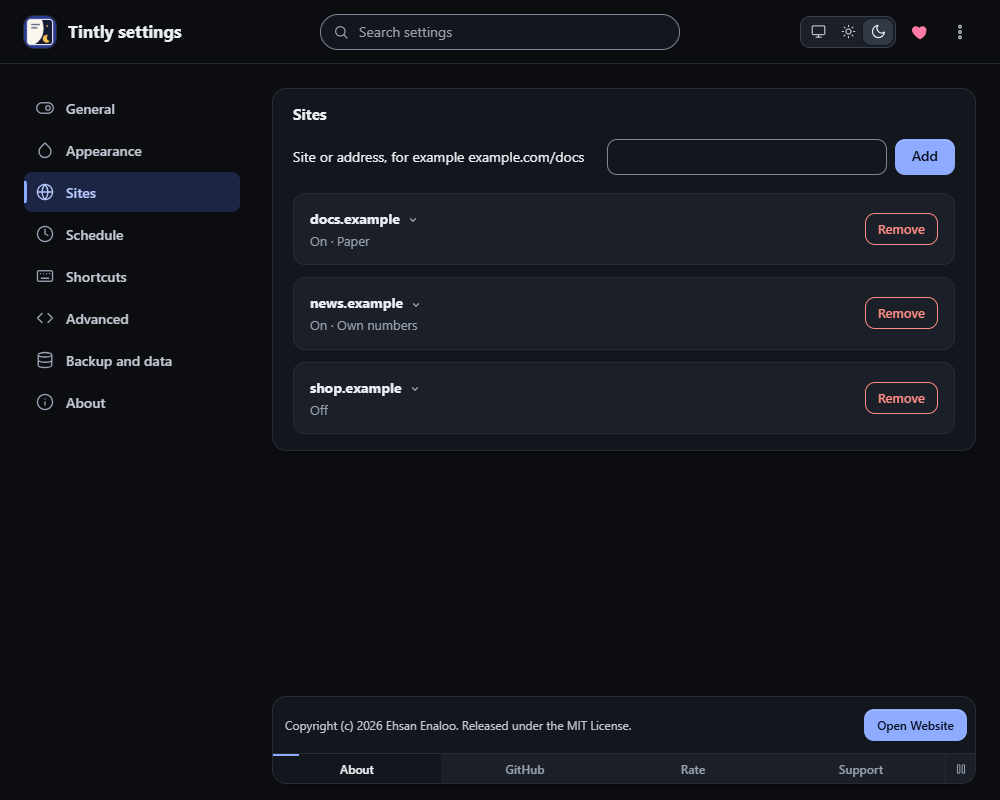
Settings, Sites
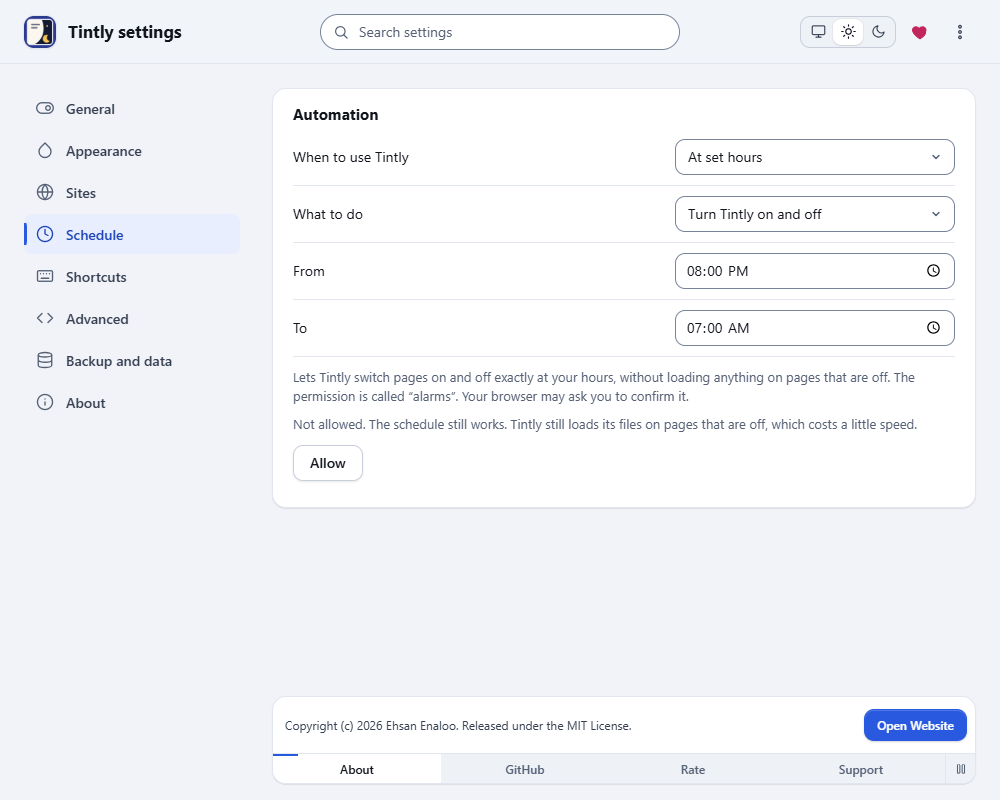
A schedule turns Tintly on at night, with the sun at your place, or with the dark mode of your system.
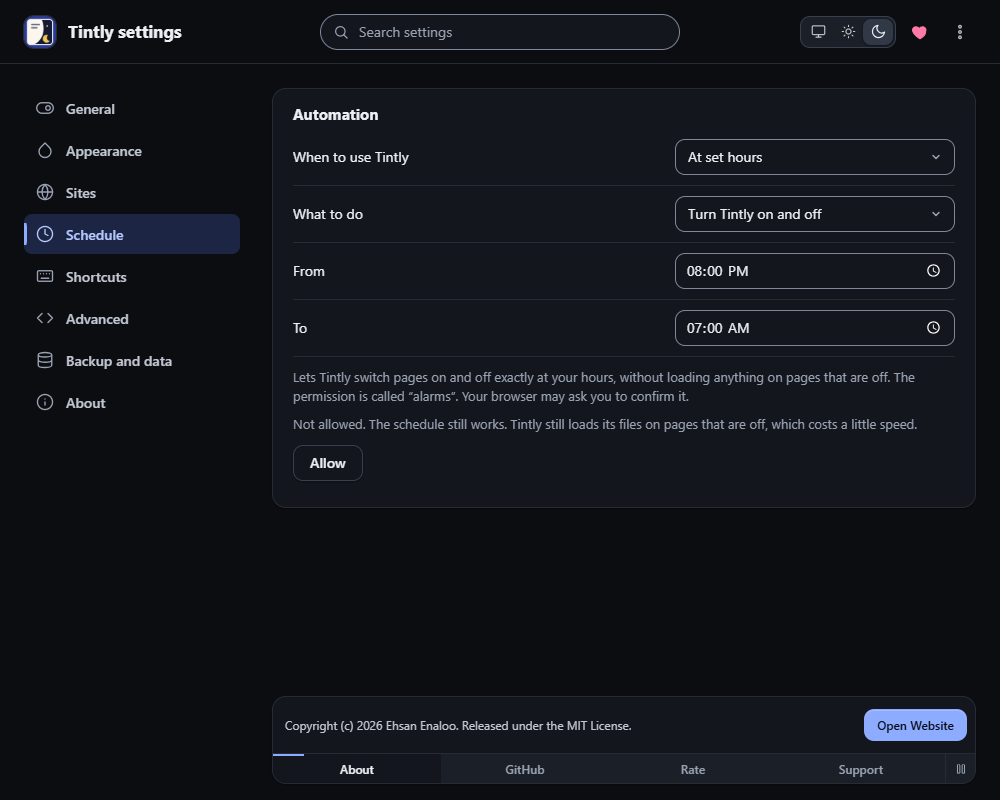
Settings, Schedule
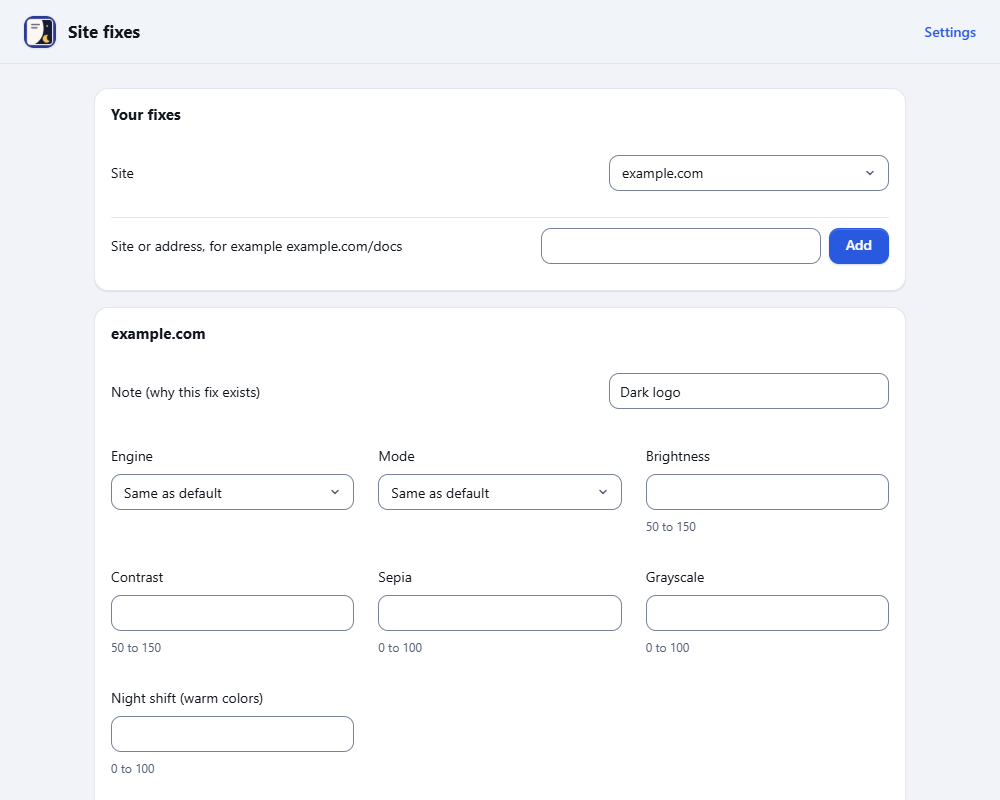
When one site needs its own care, the fix editor lets you add CSS, invert a logo or leave a color alone.
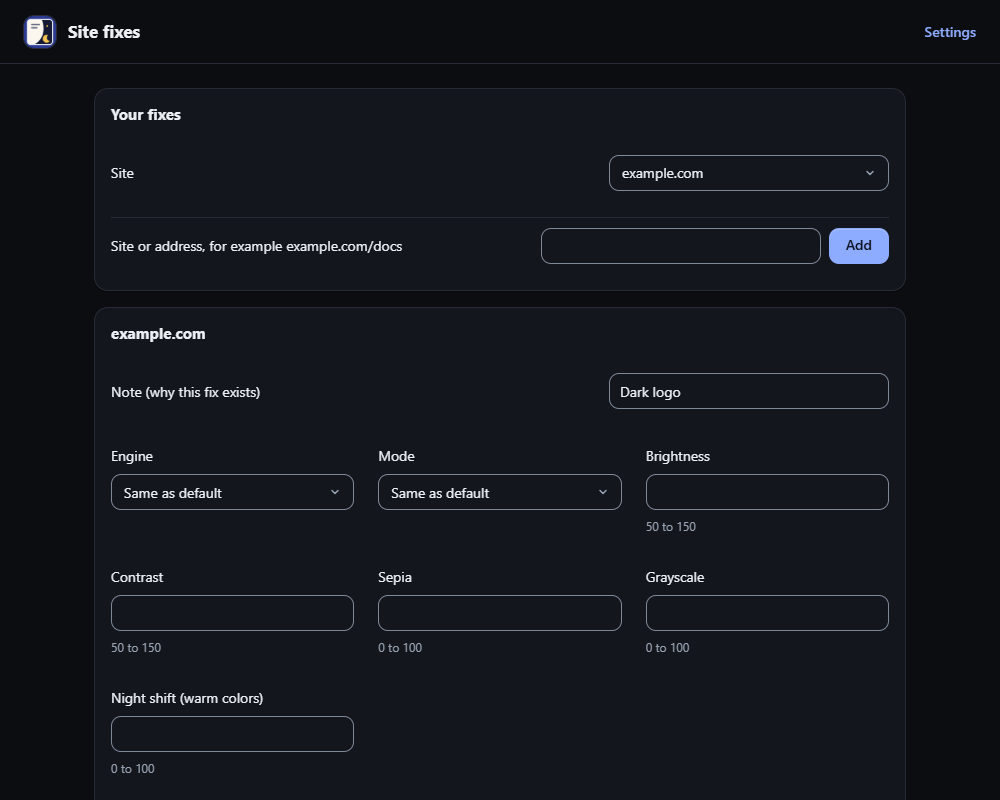
The fix editor
What it does
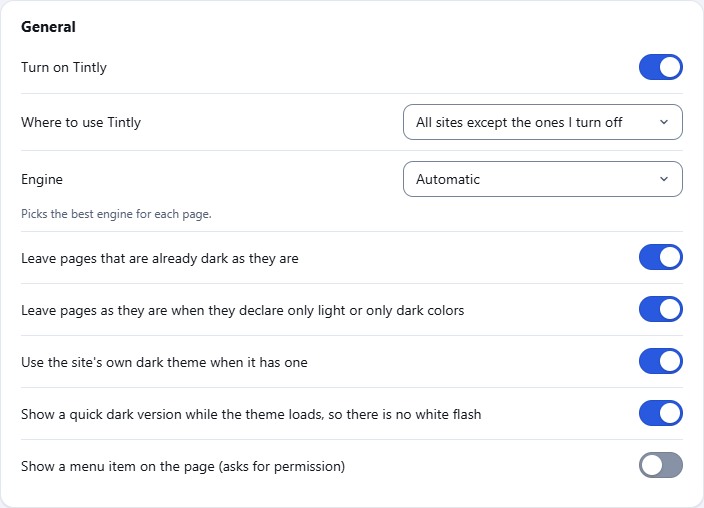
- Turns pages dark, or light, with four ways of doing it. You pick one, or leave it on automatic.
- Has an E-ink and Paper mode for reading: a paper color, ink for the text, grayer pictures, less glare and less blue light.
- Corrects colors for red, green or blue color weakness, with a theme or on the page's own colors, so they are easier to tell apart. Pictures and icons follow the filter too.
- Shows a page in gray, in gray with light and dark swapped, or with inverted colors, on the page's own colors.
- Keeps the choice for each site. A site can be on, off, or use its own colors.
- Works on all sites, or only on the sites you turn on.
- Follows hours, the sunset at your place, or the dark mode of your system.
- Leaves pages that are already dark as they are.
- Its windows come in 17 languages, among them Persian, Arabic and Hebrew from right to left.
- Lets you set a key for each mode, for the engine and for turning a site on or off.
Privacy and data
| Question | Answer |
|---|---|
| What does it collect? | Nothing. There is no tracking and no analytics. |
| What does it send? | Nothing. It only downloads style sheets and pictures of the page you are on, to color them. |
| Does it open any page? | A welcome page on enaloo.com once after a fresh install, and a short survey page when you remove it. |
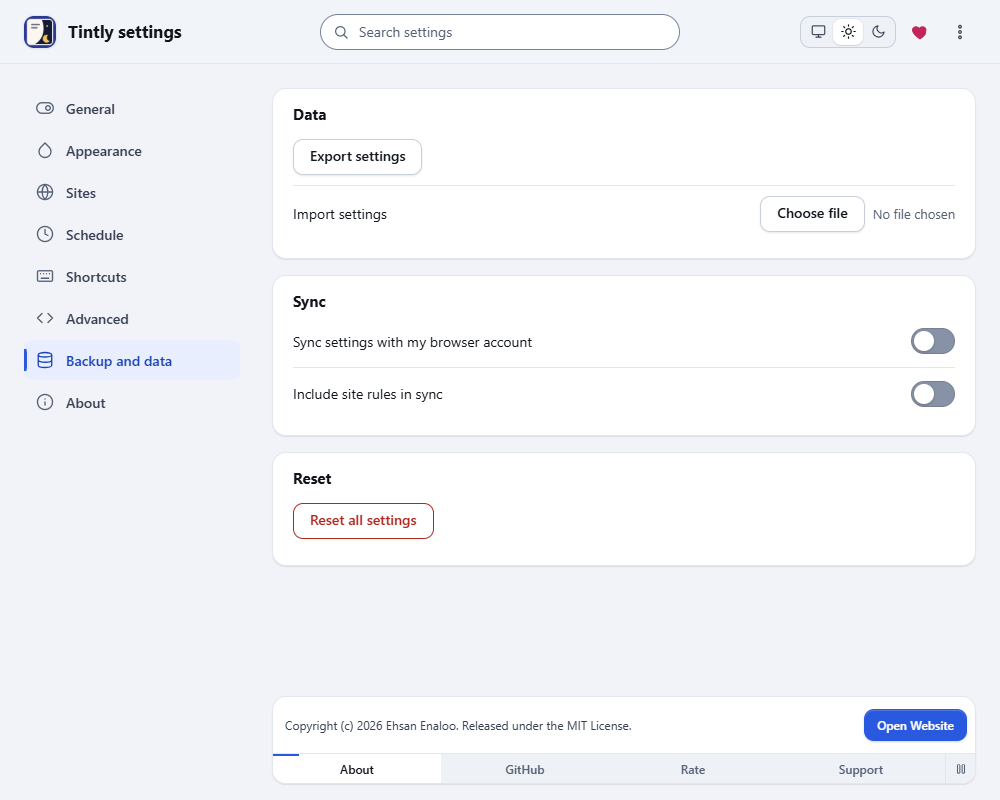
| Where are my settings kept? | In your browser. Sync with your browser account is optional and off by default. |
| Which permissions does it ask for? | Storage, scripting and access to the pages you open. The menu item on the page and exact schedule switching are optional. |
Read the full text in Privacy and data.
Guides
Learn Tintly - Dark, Light, Paper, E-ink & Color Vision
A quick start, a tour and step by step guides.
Feedback
Found a bug or have an idea? Tell me here. I read every message.
Thank you, I got your message
I will answer by email.