On this page
See it in action
What it does
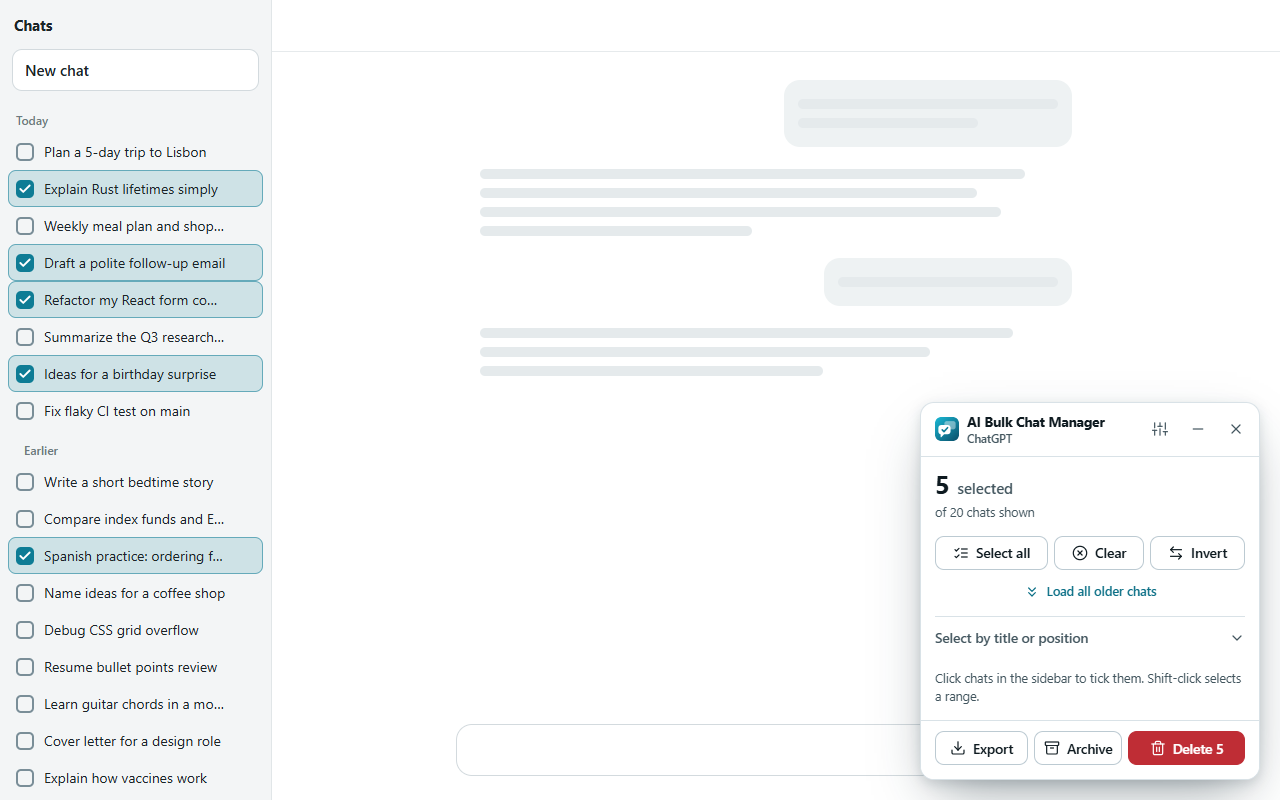
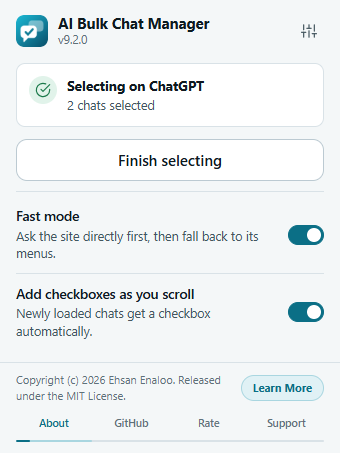
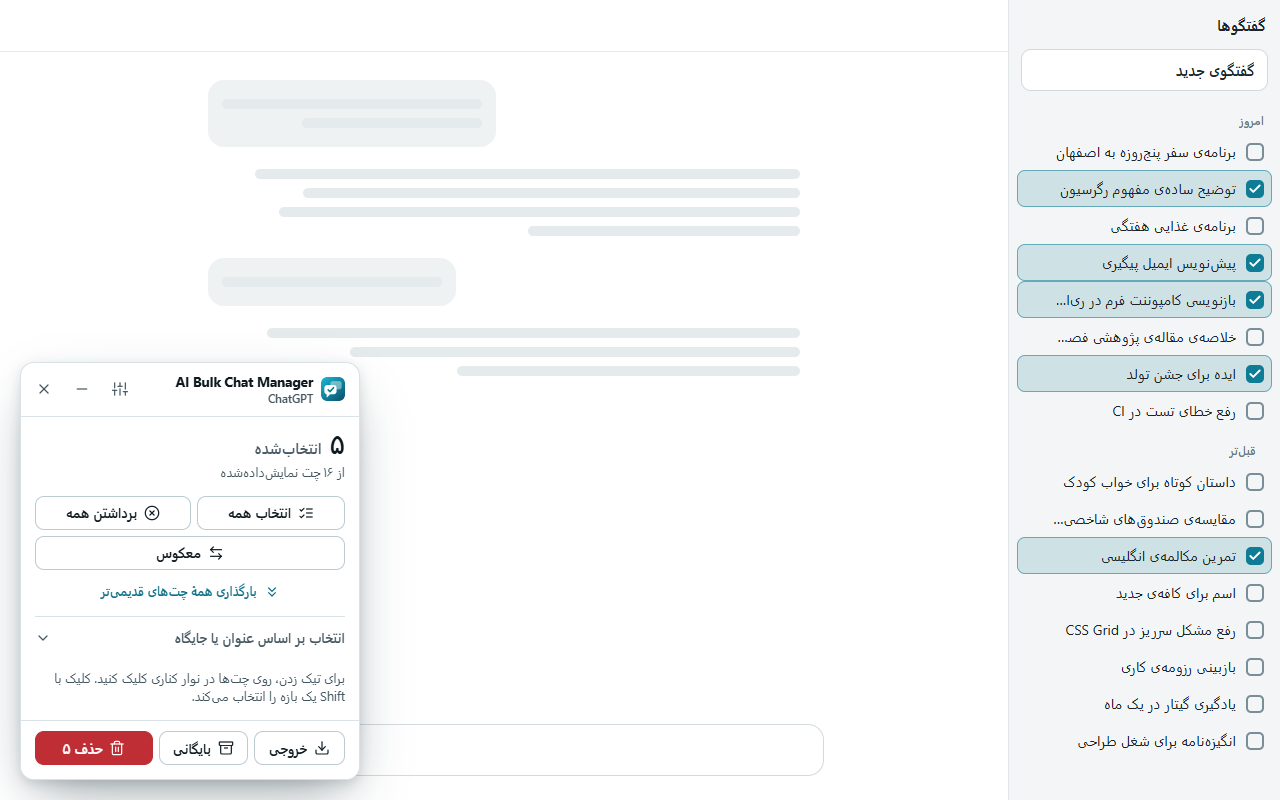
- A panel on the page. A floating panel shows how many chats you selected.
- Many ways to select. Select all, filter by title, pick the oldest chats, or Shift-click a range.
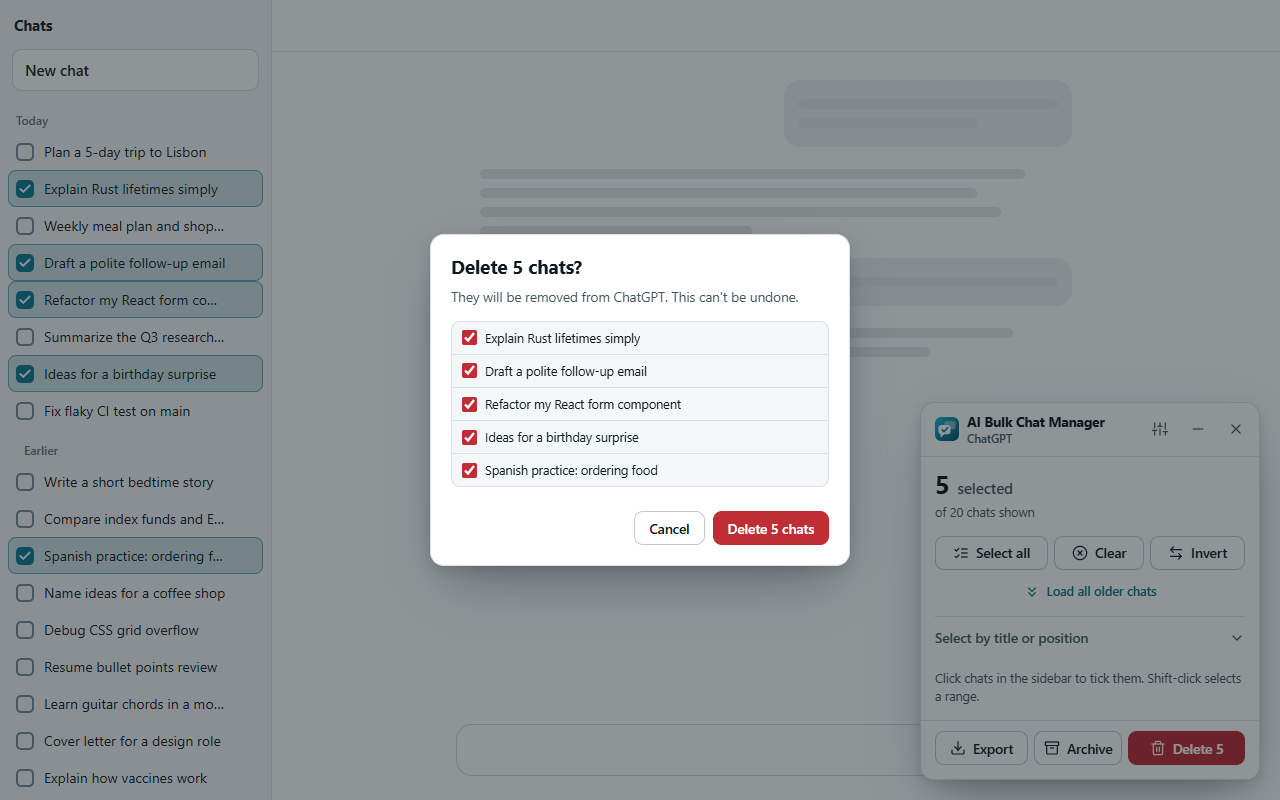
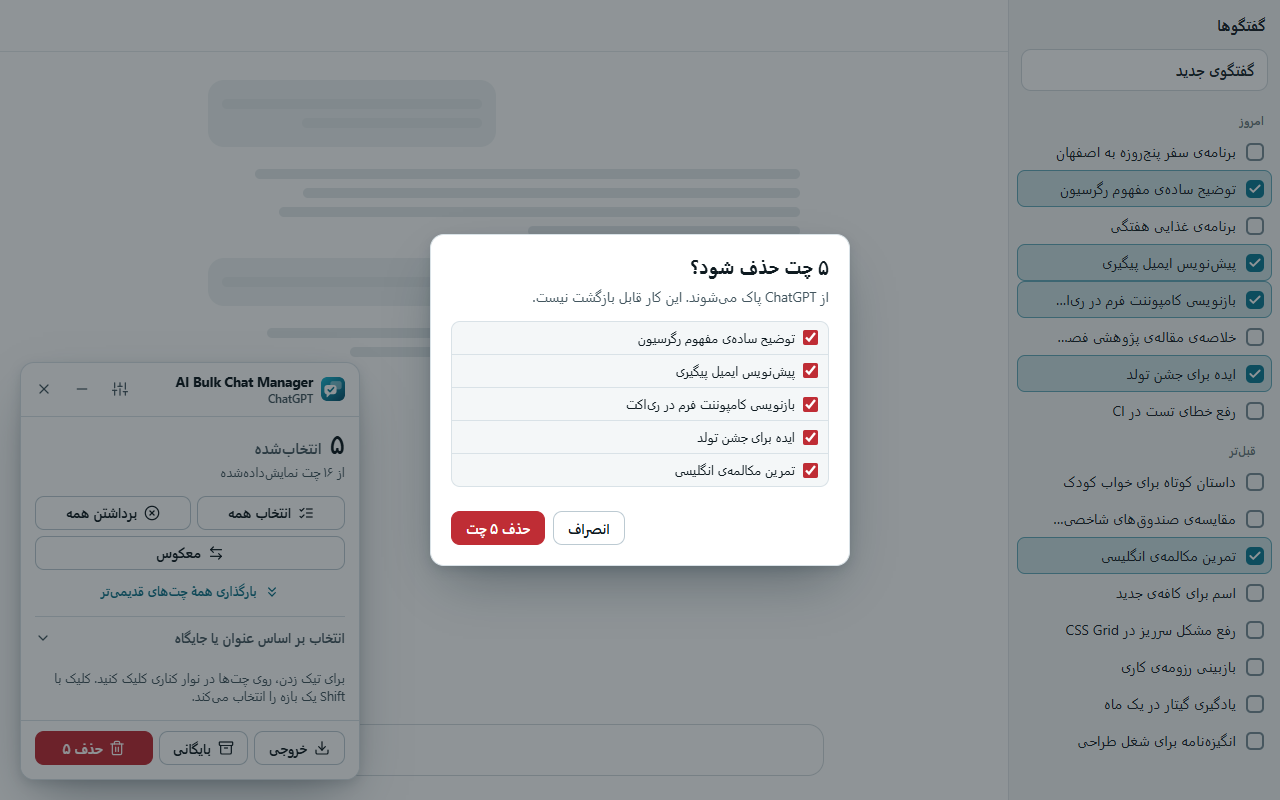
- A check before it changes anything. A list shows the chats that will change, and you can untick single chats. A large delete needs one more confirmation.
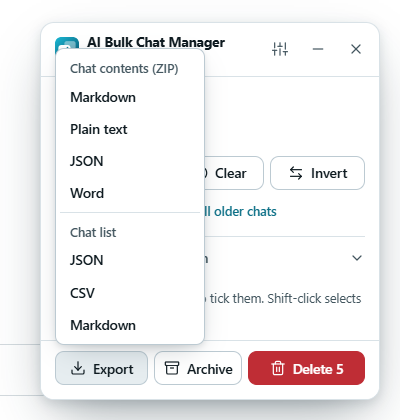
- Export first. Save the text of one chat, or of many chats in one ZIP, as Markdown, plain text, JSON, Word, PDF or a long image. You can also save a list of titles and links.
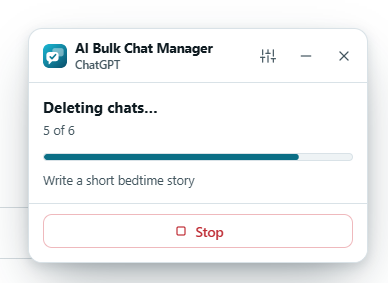
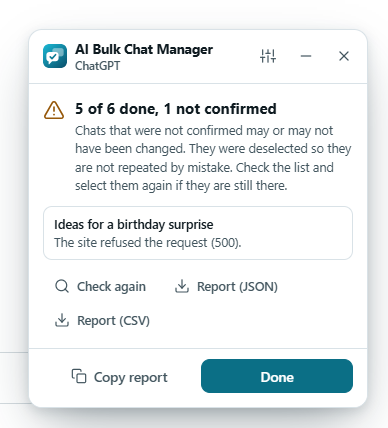
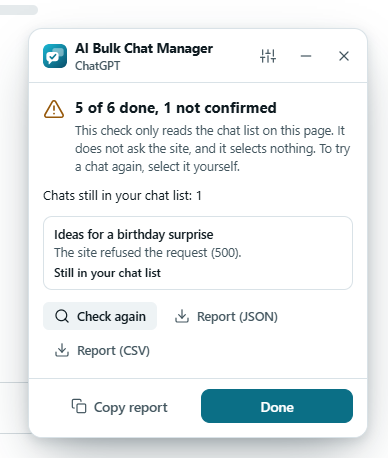
- A clear result. Chats the site did not confirm are listed, never repeated for you, and can be checked again. You can save a report of every chat as JSON or CSV.
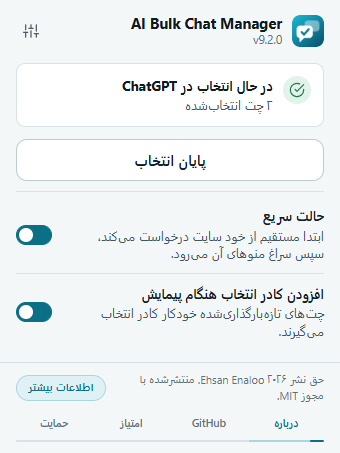
- Eleven sites. Delete works on ChatGPT, Claude, Gemini, Grok, DeepSeek, Perplexity, Copilot, Meta AI, Kimi, Qwen and Z.ai. Archive works on ChatGPT only, and you can undo it.
Privacy and data
| What | How |
|---|---|
| server | None. The extension sends no data to me or to any third party. |
| account | None. There is no sign in, no analytics, no ads and no crash reports. |
| chats | While you select chats it reads the titles and links in the sidebar. It reads the text of a chat only when you click Export, and the file is made on your device. It does not analyze or understand that text. |
| stored | Your settings and a small timer for the monthly support reminder stay in your browser. No chat titles or links are saved. |
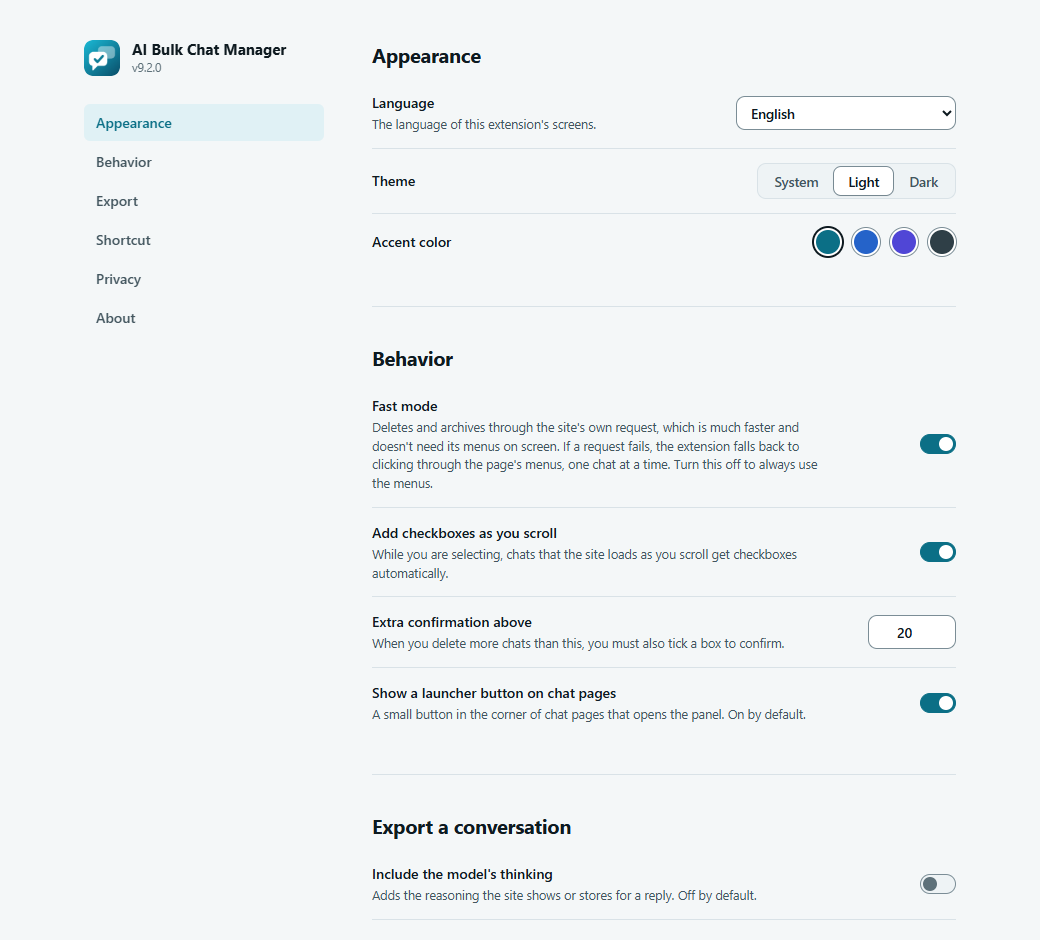
| delete and archive | After you confirm, the extension asks the site you are on to do it, with the session you already have. Fast mode uses internal endpoints of those sites, so it can stop working when a site changes. You can turn it off, and the extension then clicks through the site menus. |
| export | The file is made on your device and is not uploaded. It holds your conversations or their titles, so check it before you share it. |
| permissions | storage, activeTab, scripting, and access to chatgpt.com, chat.openai.com, claude.ai, gemini.google.com, grok.com, chat.deepseek.com, perplexity.ai, copilot.com, meta.ai, kimi.ai, chat.qwen.ai and chat.z.ai. |
| full policy | Read the privacy policy of AI Bulk Chat Manager |
Guides
Learn AI Bulk Chat Manager
A quick start, a tour and step by step guides.
Feedback
Found a bug or have an idea? Tell me here. I read every message.
Thank you, I got your message
I will answer by email.